AI in field service: what changes for customers and technicians

Better visits for customers, less admin for technicians

In short: AI in field service changes both ends of a service visit. Customers book and move appointments on the channel they prefer, at any hour, and hear from you when plans change. Technicians arrive better prepared, get guidance on site and spend less time on reports. The results depend on clean scheduling rules, asset data and knowledge.

Salesforce now calls its field service product Field Service and Operations, with Agentforce as the AI layer on top. In this post we call it Field Service for short.

Why AI in field service makes sense now

A field service job passes through many hands: booking, scheduling, dispatch, travel, the work itself, the report and the follow-up. Every handover is a chance for delay, and the customer feels each one.

The time cost is large. In research Salesforce cites in its Agentforce for Field Service announcement, technicians lose nearly a full working day each week to admin work, and booking an onsite appointment takes 17 minutes on average. Changing one takes 15 minutes and cancelling takes 12.

What changes for the customer

Booking on the customer’s terms

With Agentforce, customers can schedule, reschedule or cancel an appointment around the clock through web or messaging channels. The agent works out the job type from the conversation, creates the work order and service appointment and offers time slots based on technicians’ skills and location. Salesforce says the whole booking can take less than five minutes.

Two-way updates when plans change

Plans change all the time: a job runs long, a part is missing, a technician falls ill. In September 2026 Salesforce previewed a Scheduling Agent ahead of Dreamforce that works across web chat, SMS, iMessage, WhatsApp, voice and email. If a technician becomes unavailable, it can rebuild their whole day and contact the affected customers automatically.

Fewer repeat visits

What customers notice most is whether the problem gets fixed on the first visit. A well prepared technician with the right parts and the asset’s history at hand is more likely to finish the job in one go. Status calls drop as well: in the same announcement, CPI Security reported 30% fewer “where is my technician?” calls.

What changes for the technician

Arrive prepared

The Pre-Work Brief gives the technician an audio summary of the work order, so they can listen on the way to the site instead of reading notes in the van.

Get guidance on site

For tricky jobs, Agentforce can guide the technician step by step in a back-and-forth conversation and analyse photos. It draws on product manuals, similar past repairs, sensor data and earlier emails and chats.

Spend less time on reports

The Post-Work Summary drafts the job report from what the technician recorded, and the technician corrects it in plain language. Salesforce has also added Voice to Form for hands-free data capture, which helps when gloves are on and hands are busy.

Book follow-ups from the field

If the job needs a second visit, the technician can request it from the mobile app while still on site, and the scheduling agent finds a slot that fits the rules.

What changes for dispatchers

Dispatchers spend much of the day filling gaps left by cancellations, no-shows and jobs that finish early. Agentforce suggests ways to fill them using the Field Service optimization engine, taking job duration, available parts and traffic into account. There is no need to re-run the full optimization. The dispatcher picks the option, so a person stays in control.

Business rules stay fixed. In the scheduling agent Salesforce describes, warranty status, technician qualifications and discount eligibility are enforced as rules the AI cannot bend.

How to get started

1. Get your scheduling basics right

Work types, durations, skills, territories and working hours drive every scheduling decision. If they are out of date, AI will repeat the same mistakes, only faster.

2. Connect asset and customer history

Technicians and AI agents both need the full picture: past visits, installed products, contracts and sensor readings. This is the data foundation we described in Data 360: the data foundation every AI agent needs.

3. Build the knowledge technicians use

Manuals, known fixes and checklists should be searchable and current. On-site guidance is only as good as this content.

4. Start with one painful step

Rescheduling and job reports are good first candidates: they happen often, follow clear rules and are easy to measure.

5. Involve technicians early and measure

Ask technicians what slows them down and test with a small group first. Track first-time fix rate, admin time per job, travel time, customer satisfaction and the number of status calls. Field service also depends on a well-run service desk, so read our post on AI in Service Cloud: smarter triage and two-way service.

How Cumultec can help

Cumultec implements Salesforce Field Service together with Service Cloud and Agentforce: scheduling rules, mobile flows, knowledge and the customer channels around them. Get in touch and we will map where AI saves the most time in your field operations.


Energy Annual Conference 2026

Energy Annual Conference 2026

Cumultec is a main sponsor of Äripäev’s Energy Annual Conference 2026, the energy sector’s key meeting place this autumn. Close to 200 policymakers, energy company leaders and experts come together to discuss the most pressing questions in the field.

This year’s agenda focuses on:

  • The big picture. Erkki Keldo, Minister of Energy and Environment, on the decisions Estonia must make in the next 12-24 months on generation, dispatchable capacity and demand growth.
  • Energy security. Urmas Ruuto (NATO Cooperative Cyber Defence Centre of Excellence) on the most likely attacks on European energy infrastructure, Sergi Nazarenko (Ukrenergo) on protecting a power grid in wartime, and Jaanus Uiga (Ministry of Climate) on what Estonia can rely on in the new world order.
  • Electrification. Helena Braun (European Commission Representation in Estonia) on the EU electrification action plan, and Margo Külaots (Gren) on market choices and state plans.
  • Political debate. Jevgeni Ossinovski (Social Democratic Party), Mario Kadastik (Reform Party), Kristjan Järvan (Isamaa) and Lauri Laats (Centre Party) on the next government’s plan for electrifying Estonia.
  • New demand and large consumers. Kalle Kilk (Elering) on what happens to the power system if 1,000 MW of new consumption is added, and Miko Niinemäe (Tensor Estate) on why data center investors would or would not choose Estonia.

Behind all of these decisions are customers, assets and field teams that need to work from the same data. Salesforce helps energy and utility companies bring customer data into one view, serve customers faster, run field work more efficiently and put AI agents to work. We look forward to showing how this works in practice.

Visit our booth to talk about your plans, see our solutions and discuss how Salesforce can support your work in the energy sector.

See the full agenda and get your ticket on the conference website.

See you on 24 November!

AI in Service Cloud: smarter triage and two-way service

What AI changes in triage and customer conversations

In short: AI in Service Cloud now takes over the first steps of a case. It reads the request, sorts and routes it, solves routine issues on its own and keeps talking with the customer on the channel they picked. The teams that get the most out of it prepare their case data, routing rules and knowledge before they switch anything on.

A quick note on names: in 2025 Salesforce renamed Service Cloud to Agentforce Service, then went back to the Service Cloud name in September 2026. Agentforce is now the name of the AI agents that work inside it.

Why triage is where AI pays off first

Every case starts with the same questions. What is it about, how urgent is it and who should handle it? In many service teams a person still answers them by hand: someone opens the email, picks a case reason, sets a priority and moves the case to a queue.

That works until volumes spike. Then triage turns into the bottleneck, urgent cases wait behind simple ones and the first hours of a case pass before anyone works on it. Triage is repetitive, rule-based and done thousands of times a month, which makes it a good first job for AI.

How AI in Service Cloud handles triage

Classify each case as it arrives

Einstein Case Classification learns from your closed cases and suggests values for fields such as case reason, priority, language and escalation, as well as your own picklist, checkbox and lookup fields. You choose how far it goes: agents can pick from the top three suggestions, confirm one best value, or let Salesforce save the value automatically when its confidence is high enough. Salesforce’s Trailhead module explains the setup and the confidence thresholds.

Send it to the right team

Once a case is classified, assignment rules can run on it, so it lands in the right queue without anyone touching it. Omni-Channel routing can also take skills, workload and availability into account. Salesforce’s native Contact Center, launched in March 2026 as Agentforce Contact Center, adds a visual Route Work builder that keeps the same routing rules for AI agents and human teams. Since October 2026 it has been available in more than 30 European countries, including the UK, Ireland, Germany, France, Finland, Denmark and Sweden. Estonia is not on the list yet, so check availability for your country before you plan around it.

Let an AI agent solve the routine cases

AI agents built with Agentforce can handle simple, data-driven requests from start to finish: order status, booking changes, address or billing updates. The aim is that only urgent or complex issues reach a person, and that the person gets them with the full story attached.

Two-way communication: the conversation does not end at the ticket

Customers write, call and message, often about the same issue, and they expect the conversation to continue where it stopped. AI changes this in three ways.

  • The agent asks before it acts. An AI agent can ask a clarifying question, confirm the details and only then make a change, the way a good service rep would.
  • Updates arrive in the same thread. On messaging channels such as web chat, WhatsApp and SMS, the customer gets an update and can reply right there. The reply goes back into the same case.
  • Handovers keep the context. With Agentforce Voice, an AI agent answers phone calls in natural speech. When the caller asks for a person, the call moves to a service rep together with the transcript and a prefilled case, so the customer does not have to repeat anything.

Two-way also means reaching out first. If a delivery is late or an appointment has to move, the customer can hear it from you before they call, and answer in the same conversation.

If you serve customers in the Baltics or the Nordics, check language support early. At Dreamforce 2026 Salesforce added Spanish, Italian, German, Portuguese, Japanese and Canadian French to Agentforce Voice. Before you design a voice agent, check what each channel supports in Estonian, Latvian, Lithuanian or Finnish.

What changes for service agents

For the people in the service team, the biggest change is how each case starts. Instead of a raw email, they open a case that is already classified, summarised and linked to the customer’s history. When an AI agent hands over, they see the whole conversation and carry on from there.

That leaves more time for the work that needs judgment: complaints, exceptions, unhappy customers and anything with money or safety at stake. Supervisors get a better view too, because AI and human work run through the same routing and the same reports.

How to get started

1. Clean up your case data

Classification learns from history, so inconsistent case reasons and priorities produce inconsistent suggestions. Salesforce’s own planning checklist asks for at least 400 closed cases with a value for each field you want to predict. A unified view of the customer matters as well, which is why we wrote about Data 360 as the data foundation for AI agents.

2. Write the knowledge AI will rely on

An AI agent can only give the answers your knowledge base supports. Start with the questions customers ask most often and make sure each has a clear, current article.

3. Decide where people stay in the loop

Set confidence thresholds, escalation rules and the topics that always go to a person. Write them down before you go live.

4. Start with one channel and a few case types

Pick one channel and two or three common case types, run them for a few weeks and widen the scope when the results hold up.

5. Measure from day one

Track first response time, time to resolution, reopened cases, customer satisfaction and the share of cases solved without a person. Our post on KPIs in Salesforce Service Cloud covers which metrics to watch.

How Cumultec can help

Cumultec is a Salesforce Consulting Partner. We help service teams introduce Service Cloud and Agentforce step by step: case data and classification, routing, knowledge, messaging and voice channels, and the guardrails around them. Get in touch and we will look at your service process together.

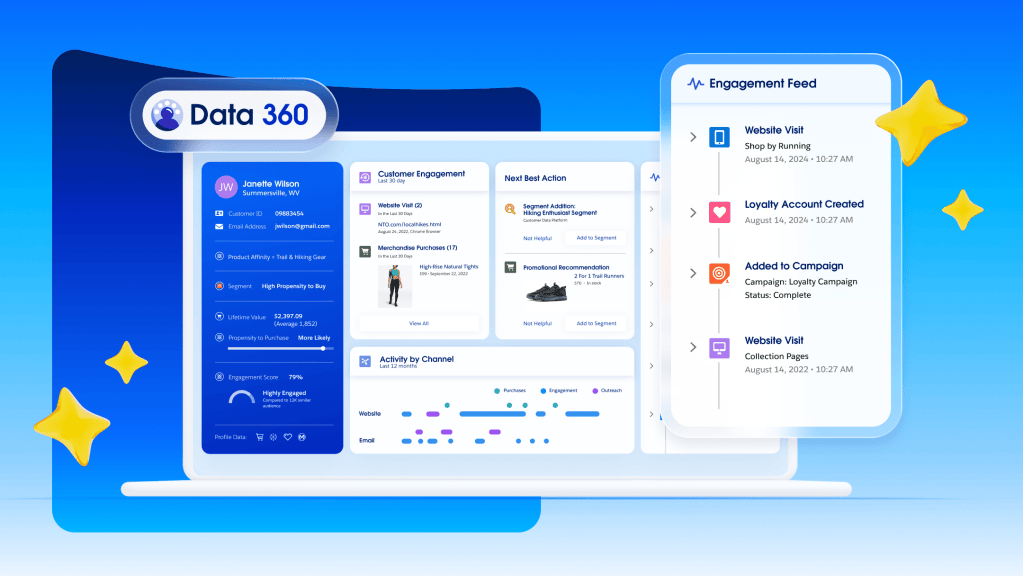
Data 360: the data foundation every AI agent needs

Why AI agents are only as good as their data

In short: An AI agent can only act on the context it gets. Data 360, the Salesforce data engine formerly known as Data Cloud, connects customer data from your systems, unifies it, keeps it governed and gives each agent the part it needs at the moment it needs it. When agents give vague or wrong answers, check the data underneath before you blame the model.

Why AI agents need a data foundation

Ask an agent to prepare a sales call, answer a service request or build a campaign audience, and it needs the same things a good colleague would: who the customer is, what they bought, what they asked last week, which contracts are open and what they have agreed to receive. In most companies those answers sit in the CRM, the ERP, the web shop, the support tool and a few spreadsheets.

A person can work around the gaps. An agent will build a confident answer from whatever it can reach. That is why data readiness decides how far AI projects get. Gartner predicts that through 2026, organisations will abandon 60% of AI projects that are not supported by AI-ready data. In the same research, 63% of organisations said they either do not have the right data management practices for AI or are unsure whether they do.

We made the same point for marketing in Agentic Marketing: From Automation to Autonomy: an agent can only personalise what it can see.

What is Data 360?

Salesforce describes Data 360 as the real-time data engine that powers the entire Salesforce platform. In practice it does four jobs:

  • Connect. More than 200 prebuilt connectors bring in data from Salesforce clouds, MuleSoft, databases and other apps. With Zero Copy, Data 360 can also use data that stays in Snowflake, Databricks, Google Cloud or AWS without copying it.
  • Unify. Data is mapped to one model, and identity resolution matches records from different systems into one unified profile per customer.
  • Understand. Besides structured records, Data 360 works with unstructured content such as PDFs, call logs and wikis, and turns raw data into calculated insights and segments.
  • Act and govern. Insights and segments flow into Sales, Service and Marketing Cloud, into Flow automation and into Agentforce, with tagging, classification, policy-based access and data masking applied along the way.

What’s new in Data 360 for agents

Salesforce now sums up Data 360 as a way to “give every human and AI agent trusted enterprise context”. Three recent announcements show what that means in practice.

Agent Context Engine

The Agent Context Engine is a shared context layer built on Data 360. For each request it assembles only the data an agent needs and is allowed to use. It follows permitted connections in a knowledge graph, uses a semantic layer based on Tableau Semantic Data Models so that business terms mean the same thing everywhere, and keeps a memory of approved facts together with where each fact came from. Existing Salesforce permissions, down to field level and sharing rules, apply while the context is assembled. It works with Agentforce and with agents built on other frameworks, such as Google ADK or LangGraph, and is currently in preview.

Data 360 Headless and MCP

Data 360 Headless makes the same context available outside Salesforce. Through the Data 360 MCP server, which uses the open Model Context Protocol, tools such as Claude, ChatGPT and Copilot can work with your customer data within Salesforce permissions. Authorised agents can do more than read records: they can map fields, inspect identity relationships, create segments and activate campaigns. Salesforce includes MCP access in Enterprise Edition and above, and it runs on your existing API limits.

Agentforce Coworker

Coworker, the AI assistant inside the Salesforce interface, is built on Data 360 and connects business information and actions across Salesforce, Gmail and other applications. Salesforce says 100,000 users activated it within its first 35 days. We will look at Coworker in more detail next Monday.

Whichever agent or interface asks the question, it should get the same trusted customer context under the same permissions.

What an agent-ready data foundation looks like

Before the first agent goes live, get the basics right for the data it will touch. Connecting every system can wait.

  • One customer, one profile. Duplicates are merged or linked across systems.
  • Consent travels with the profile. Agents need to know what each customer has agreed to, in every channel.
  • Shared definitions. “Active customer”, “churn risk” and “open pipeline” mean the same thing in a report, a segment and an agent prompt.
  • Fresh data where timing matters. A service agent working from yesterday’s order status will give the wrong answer today.
  • Permissions that match reality. Agents act within the access rules you already have, so those rules have to be right.

It pays off in everyday sales work too. When sales, marketing and service see the same customer data, nobody has to guess which record is right, and customers don’t have to repeat themselves to every team. For more on why a single source of truth matters, read Humans and Agents: Unlocking Data.

Five steps to get your data ready for agents

1. Start with one agent and one job

Pick a use case with a clear owner and a measurable result, such as call preparation, case summaries or a reactivation campaign. Then list the data the agent needs for it.

2. Map your sources

For each data point, note where it lives, who owns it and how fresh it is. Decide what to bring into Data 360 and what to reach through Zero Copy in your data warehouse.

3. Fix identity first

Clean up duplicates in the CRM, agree on match rules and test identity resolution on real records before building on unified profiles.

4. Agree on definitions and consent

Write down the business terms your agents will use and connect consent and preference data to the profile, so segments and agent answers follow the same rules.

5. Govern and measure from day one

Review permission sets, sharing rules and data classification. Decide which actions need human approval, and track answer quality, time saved and data quality before and after the pilot.

How Cumultec can help

Cumultec is a Salesforce Consulting Partner working with companies across the Baltics, the Nordics and wider Europe. We help you assess your current data, design the Data 360 model, connect your sources and launch the first agent on top of it, with governance your IT and legal teams can sign off. Get in touch and let’s find out how ready your data is for agents.

Agentic marketing: from automation to autonomy

What changes when AI agents join your marketing team

In short: Marketing automation follows the rules you write. Agentic marketing pursues the goals you set. AI agents build audiences, draft content, launch journeys and optimise spend, all within guardrails your team defines. Here is what changes, what stays human and how to start.

What is agentic marketing?

Agentic marketing means using AI agents that can plan and carry out marketing work on their own, not just generate text when asked. Salesforce describes it as marketers setting the strategy (for example, increasing loyalty among at-risk customers) while agents handle the execution: building audiences, personalising content, optimising performance, answering customer questions and handing work over between teams and channels.

The difference from classic marketing automation is the starting point:

  • Automation is rule-based. A marketer designs every step: if a contact opens the email, wait two days, then send the next one.
  • Agentic marketing is goal-based. You define the objective, the audience boundaries, the brand rules and the budget. The agent proposes the next best action, takes it where allowed, and learns from the results along the way.

Why now?

The pieces have finally come together: language models that can reason, unified customer data that agents can act on, and platforms that put guardrails around both. Adoption is still early, which is exactly why it is worth paying attention now:

  • 75% of marketing organisations already use AI in at least one form, but only 13% of AI-using marketers tap into self-directed agents (Salesforce, State of Marketing, 10th edition, 2026).
  • Marketers expect AI agents to save them up to eight hours a week. That is a full working day.
  • Gartner predicts that by 2028, 60% of brands will use agentic AI to facilitate streamlined one-to-one interactions.

What agents actually do in marketing

Campaign creation

Describe a goal in plain language and the agent drafts a campaign brief, recommends audiences, writes email and SMS variants and sets up the flow for your review. In Salesforce, this is the job of Agentforce Campaign Creation in Marketing Cloud Next.

Segmentation without SQL

“Customers who bought twice last year but haven’t opened an email in 90 days” becomes a ready-to-use segment on unified data, with no query writing and no ticket to the data team.

Personalisation and journeys

Agents adapt content, product recommendations and the next step in a journey based on real-time signals from email, web and service interactions, always within the strategy and guardrails you set.

Paid media and performance

Agents compare ad performance against industry or custom benchmarks, flag underperforming ads and, in supported channels, pause them once a marketer approves. In Salesforce, this is the Agentforce Paid Media Optimization Agent in Marketing Intelligence.

Two-way conversations

Instead of one-way broadcasts, agents can respond to replies, qualify leads and hand warm prospects over to sales. According to the same Salesforce report, 83% of marketers agree that customers want two-way interactions.

What stays human

Agents are fast executors, not strategists. Your team still owns the positioning, the creative idea, the brand voice and the decision about what is worth saying at all. The best setups make the split explicit: humans set direction and approve what goes out, agents execute and report back. Transparency matters too. In a Gartner consumer survey, 78% of respondents rated clear labelling of AI-generated content as very important for trust.

Data is the real prerequisite

An agent can only personalise what it can see. Yet just 26% of marketers say they are fully satisfied with how their data is unified. If customer data sits in separate email, CRM, e-commerce and service systems, agents will make confident decisions based on half the picture. Unifying profiles in Data 360 (formerly Data Cloud), or at least cleaning up the CRM you already have, has to come before any agent rollout. If you are still choosing between Salesforce marketing tools, start with Salesforce Marketing Automation: Pick the Right Tool.

How to start: a 30-day pilot

  1. Pick one measurable goal, for example reactivating lapsed customers or speeding up lead follow-up.
  2. Check the data. Make sure consent, contact data and the behavioural signals that matter for that goal are in one place.
  3. Write down the guardrails: brand voice, claims you never make, budget and frequency limits, and which steps need human approval.
  4. Run it side by side. Let the agent work next to your current process and compare the results.
  5. Scale what works. Move on to the next journey only when the first one beats the baseline.

Where Claudeforce fits

On Monday we looked at Claudeforce, the Salesforce and Anthropic partnership that brings Salesforce into Claude. Sales comes first, but Salesforce has already announced marketing capabilities for campaign automation and personalisation. The direction is clear: marketers will increasingly brief agents in plain language and review their work, rather than building every step by hand.

How Cumultec can help

Cumultec implements Salesforce Marketing Cloud, Data 360 and Agentforce for companies across the Baltics, the Nordics and wider Europe. We can help you find the first agentic use case worth piloting, get your data ready and set guardrails your brand and legal teams are comfortable with. Get in touch to plan your first agent-led campaign.

Claudeforce: Salesforce, now inside Claude

The Salesforce × Anthropic partnership, explained

In short: Claudeforce brings Salesforce data, workflows and permissions into Claude, Anthropic’s AI assistant, and puts Claude to work inside Agentforce and Slack. For Salesforce customers, the question is no longer whether AI will touch your CRM, but whether your CRM is ready for it.

What is Claudeforce?

Claudeforce is a joint offering from Salesforce and Anthropic, announced at the end of August 2026 as part of their expanded strategic partnership. It works in two directions:

  • Salesforce in Claude. A Salesforce plugin for Claude with 37 prebuilt sales skills, covering daily briefings, pipeline reviews, deal and account plans, call preparation and CRM hygiene checks. Sellers can ask questions, update their pipeline and take governed actions without switching to the Salesforce interface.
  • Claude in Salesforce. Claude serves as a reasoning model for the Atlas Reasoning Engine behind Agentforce, is the default model in Agentforce Vibes and Agentforce Coworker, and is available in Agent Builder. In Slack, Claude powers Slackbot, Claude Tag and Slack Code.

At Dreamforce in mid-September, Salesforce opened Salesforce in Claude as a beta: customers can request access via AppExchange and connect it to a Claude paid account. Salesforce says around 7,000 of its own sellers already use it. For developers, a separate Salesforce plugin for Claude Code adds more than 40 development skills. Pricing, packaging and regional availability may still change during the beta.

Why it matters: AI becomes the interface

For two decades, getting value from a CRM meant getting people to log in, click through screens and keep records up to date. Claudeforce turns that around. A sales rep can start the day with a briefing built from Salesforce, Slack and other connected sources, prepare for a customer call in a conversation, and update the opportunity in the same flow.

Salesforce CEO Marc Benioff summed it up at launch: AI is becoming the user interface. The CRM doesn’t disappear. It becomes the trusted engine underneath: the data, business logic, permissions and audit trail that the AI relies on.

Built on the permissions you already have

For IT and security teams, governance is the headline. Salesforce in Claude follows your existing Salesforce permissions, so Claude can only see and do what each user is already allowed to see and do. Administrators connect it once, manage authentication centrally and can require approval before Claude emails anyone outside the company. Salesforce also lists zero data retention for the Claude models involved, with additional Enterprise Frontier Safeguards rolling out in phases from this autumn.

That is good news, but also a warning. If your profiles, permission sets and sharing rules are messy, an AI assistant will faithfully inherit the mess.

Five steps to get your Salesforce org ready

1. Clean up the data Claude will read

An AI briefing is only as good as the records behind it. Duplicates, empty fields and stale opportunities turn into confident-sounding but wrong answers. Start with accounts, contacts and open pipeline. For more on why clean, unified customer data matters, read Proper Data Drives Results in Salesforce.

2. Review profiles, permission sets and sharing rules

Because Claude acts within each user’s access, your permission model effectively becomes your AI policy. Check who can see and edit what, especially sensitive fields, exports and mass updates.

3. Pick two or three high-value workflows

Don’t try to automate everything at once. Morning briefings, pipeline reviews and call preparation are natural first candidates: they save time every day and are easy to measure.

4. Agree on the guardrails

Decide which actions need human approval, which data stays out of scope and how you will review what the assistant does. Salesforce’s own principle is a good starting point: humans direct, agents execute, Salesforce governs.

5. Measure adoption, not just activity

Track time saved, data quality and forecast accuracy before and after a pilot. If reps use the assistant every day and the data in Salesforce gets better, you are on the right track.

What comes next

Sales is only the first chapter. Salesforce has announced Claudeforce capabilities for service, marketing (campaign automation and personalisation), commerce, Revenue Cloud and Field Service, as well as Tableau integration. Dates and regional availability will vary, so plan around what is available today and keep the roadmap in view. In our next post we look at the marketing side: agentic marketing. If you are curious how people and AI agents share the work, read Humans and Agents: Unlocking Data.

How Cumultec can help

As a Salesforce Consulting Partner, Cumultec helps companies across the Baltics, the Nordics and wider Europe get their Salesforce data, permissions and processes ready for AI, from a quick readiness check to a scoped Claudeforce or Agentforce pilot. Get in touch and let’s find the first workflow worth handing to an agent.