Blog

Leading the Way Forward

Blog Posts

Build Your Brand with Email: A Stage-by-Stage Guide

Build Your Brand with Email: A Stage-by-Stage Guide

Branding isn’t just about a logo or color palette — it’s about how your audience feels when they see, hear, or interact with your company. And when it comes to digital touchpoints, email is one of the most powerful brand channels you have.

In this post, we’ll walk through how to build and reinforce your brand through email marketing — what to focus on at each stage of growth, how Salesforce marketing automation tools can support you, and how to measure the impact.


Stage 1: Brand Foundation — Get the Basics Right

You’re just starting to grow your list or formalize your marketing.

Key Goals:

  • Establish visual identity and tone of voice

  • Create trust and consistency

  • Ensure every email reflects your brand

What to do:

  • Use your brand colors, logo, and fonts consistently

  • Create a template for newsletters or promotions

  • Define your email voice — is it formal, playful, inspiring, practical?

  • Make your email address recognizable (e.g., hello@yourbrand.com)

Salesforce Tip: If you’re using Marketing Cloud Growth, this stage is the perfect place to start. It offers guided email setup, brand-safe templates, and easy integration with your Salesforce CRM — so your branding stays consistent from the first send.

Emails to focus on:

  • Welcome series

  • Newsletter

  • Basic promotional emails

How to measure:

  • Open rate: Are people recognizing your name and subject line?

  • Unsubscribe rate: Are your early emails aligned with expectations?

  • Brand recall surveys (informal or linked in emails)


Stage 2: Brand Growth — Connect Emotionally

You’ve built a subscriber base. Now it’s time to deepen the relationship.

Key Goals:

  • Create memorable experiences

  • Drive recognition and emotional engagement

  • Be more than just “another email”

What to do:

  • Add storytelling to your content

  • Share behind-the-scenes, founder updates, or brand values

  • Use personalization that feels meaningful (not just “Hi [First Name]”)

  • Integrate branded visuals (custom illustrations, gifs, or unique design elements)

Salesforce Tip: Marketing Cloud Account Engagement (formerly Pardot) is ideal at this stage for B2B brands. It enables personalized drip campaigns, branded landing pages, and lead nurturing — while maintaining brand consistency across touchpoints.

Emails to focus on:

  • Product updates

  • Campaigns tied to values or events

  • Community-building or UGC (user-generated content) spotlights

How to measure:

  • Click-through rate (CTR): Are people interacting with your brand stories?

  • Time on site after email click

  • Social shares or replies to campaigns


Stage 3: Brand Scaling — Automate & Expand While Staying Authentic

Your business is growing, and you’re sending more segmented or automated campaigns.

Key Goals:

  • Keep branding consistent across all automated journeys

  • Maintain trust as you scale volume and complexity

  • Ensure every automated message still feels human and branded

What to do:

  • Build out automated journeys (welcome, cart abandonment, re-engagement) that reflect your tone

  • Include branding elements in transactional emails (e.g., order confirmation, shipping updates)

  • A/B test not just subject lines, but messaging tone and brand-centered content

  • Align email timing and messaging with brand campaigns across other channels

Salesforce Tip: This is where Marketing Cloud Engagement shines — especially for B2C companies. Use Journey Builder to create automated, branded experiences across email, SMS, ads, and more — all while leveraging real-time customer data.

Emails to focus on:

  • Drip campaigns

  • Loyalty or referral programs

  • Transactional emails with a branded touch

How to measure:

  • Conversion rates by segment and journey

  • Engagement trends over time

  • Brand consistency audits across all templates


Measuring Brand Impact in Email (At Any Stage)

Branding isn’t always as easily measured as clicks or revenue — but there are meaningful indicators:

Metric What It Tells You
Open Rate Are people recognizing and trusting your sender name?
Click Rate Are they connecting with your message?
Unsubscribe Rate Are you staying relevant and on-brand?
Reply or Forward Rate Is your brand resonating emotionally?
Survey Feedback / NPS Do people associate your brand with a positive experience?

Salesforce tools like Einstein Engagement Scoring (in Marketing Cloud Engagement) or Campaign ROI reports (in Account Engagement) provide deeper insights into how your branding is influencing email performance over time.


Final Thoughts: Email as a Living Brand Touchpoint

Email is not a one-way blast — it’s a living conversation with your audience. When done well, it becomes an extension of your brand voice, values, and visual identity.

Whether you’re just starting or scaling globally, Salesforce marketing automation tools — from Marketing Cloud Growth for SMBs to Account Engagement and Engagement for more advanced needs — can help you deliver beautifully branded, results-driven emails that resonate.


Want help building your brand through smarter, automated email marketing?
We specialize in crafting Salesforce-powered strategies that drive growth and keep your brand front and center. Let’s connect.

Salesforce Marketing Automation: Pick the Right Tool

Choosing the Right Salesforce Marketing Automation Tool for Your Business

In today’s competitive landscape, marketing automation is no longer a luxury — it’s a necessity. But with so many tools under the Salesforce Marketing umbrella, how do you know which one is right for your business?

Whether you’re a B2B company nurturing leads through long sales cycles, or a B2C brand engaging customers across channels in real time, Salesforce offers powerful solutions tailored to different marketing needs. In this post, we’ll break down four key Salesforce marketing automation tools: Marketing Cloud Account Engagement, Marketing Cloud Engagement, Marketing Cloud Growth, and Marketing Cloud Next — and help you decide which fits your business best.


1. Marketing Cloud Account Engagement (formerly Pardot)

Best for: B2B companies focused on lead nurturing and sales alignment

Typical Business Size:

  • Employees: 25–1,000

  • CRM Needs: Strong Salesforce CRM usage with a sales team involved in the funnel

Use case: Long sales cycles, lead scoring, sales team collaboration, email drip campaigns.

Key Features:

  • Lead scoring and grading

  • Email nurturing (drip campaigns)

  • Forms and landing pages

  • Salesforce-native CRM integration

  • Campaign attribution and ROI reporting

Ideal for:

  • SaaS companies

  • Professional services

  • Manufacturing

  • Financial services with high-touch sales

Why choose Account Engagement?
It’s built for B2B marketers who want to generate high-quality leads, hand them off to sales at the right time, and measure ROI effectively. It offers deep Salesforce CRM alignment and is ideal for teams working closely with sales.


2. Marketing Cloud Engagement

Best for: B2C companies needing multichannel, real-time personalization at scale

Typical Business Size:

  • Employees: 500+

  • CRM Needs: High-volume customer data, need for cross-channel orchestration

Use case: Personalized customer journeys, real-time engagement across email, SMS, push, ads, and more.

Key Features:

  • Journey Builder for personalized automation

  • Audience segmentation

  • Email Studio, Mobile Studio, and Advertising Studio

  • Real-time data tracking

  • Integrates with Service Cloud, Commerce Cloud, and more

Ideal for:

  • Retail & eCommerce

  • Travel & hospitality

  • Media and entertainment

  • Consumer brands

Why choose Marketing Cloud Engagement?
This is the go-to platform for B2C marketers aiming to orchestrate complex, data-driven customer journeys across multiple channels — with real-time responsiveness and high scalability.


3. Marketing Cloud Growth

Best for: Small to medium-sized businesses new to marketing automation

Typical Business Size:

  • Employees: 5–150

  • CRM Needs: Simpler setup with native Salesforce Sales Cloud integration

Use case: Simplified marketing automation with guided setup and built-in best practices.

Key Features:

  • Easy-to-use email builder and journey setup

  • CRM integration with Salesforce Sales Cloud

  • Prebuilt templates and reports

  • AI-powered recommendations (Einstein)

Ideal for:

  • SMBs

  • Startups

  • Businesses with small marketing teams

Why choose Marketing Cloud Growth?
It’s a lightweight, cost-effective solution for businesses looking to get started quickly with automation and CRM-connected marketing, without the complexity of enterprise-grade systems.


4. Marketing Cloud Next (coming soon / evolving platform)

Best for: Modern, AI-driven cross-cloud marketing at scale

Typical Business Size:

  • Employees: 1,000+

  • CRM Needs: Unified, real-time data orchestration across clouds and systems

Use case: Unified data and AI-powered orchestration across Salesforce platforms.

Key Features (in development or roadmap):

  • Built on Data Cloud for real-time personalization

  • Native AI via Einstein 1

  • Unified customer profiles

  • Seamless integration across Salesforce apps (Sales, Service, Commerce)

Ideal for:

  • Enterprise businesses investing in AI

  • Brands looking for real-time, data-driven marketing across touchpoints

  • Early adopters of composable tech stacks

Why consider Marketing Cloud Next?
As Salesforce evolves, Marketing Cloud Next is expected to deliver a next-gen platform for real-time, AI-powered marketing. While not widely adopted yet, it signals the future of how Salesforce sees marketing in a connected, data-driven world.


Which Salesforce Marketing Tool Is Right for You?


Ready to Find the Right Fit?

Choosing the right tool isn’t just about features — it’s about your goals, team size, sales cycle, and customer expectations.

Whether you’re just starting or ready to take your customer journeys to the next level, our team can help you implement the right Salesforce marketing solution for your needs.

Proper Data Drives Results in Salesforce

In fast-paced digital world, where AI, automation, and personalization drive customer expectations, one truth stands out:

Proper data is everything.

Without it, even the most sophisticated tools fall short. But when you combine accurate, well-structured data with a powerful platform like Salesforce, you unlock the full potential of your business.


Why Proper Data Is the Real Superpower

Data is everywhere. But raw data — like unrefined oil — is messy and unusable without structure. The real magic happens when that data is clean, consistent, and connected.

  • Want smarter marketing? You need proper customer profiles.

  • Want to close more deals? You need a clear view of the sales pipeline.

  • Want better service experiences? You need accurate case histories and communication logs.

This is where Salesforce comes in.


Salesforce: Turning Data into Action

Salesforce doesn’t just store data — it activates it.

  • Sales Cloud gives your reps a real-time view of every lead, opportunity, and contact.

  • Service Cloud helps agents respond faster and more effectively using case histories and AI-powered insights.

  • Marketing Cloud personalizes messaging based on real customer behavior.

  • Data Cloud unifies customer data across systems, giving you a single source of truth in real time.

But all of that depends on one thing: the quality of your data.


Garbage In, Garbage Out — Even in Salesforce

Salesforce is a powerful platform, but it’s only as good as the data you feed it.

  • If your contacts are duplicated, you’ll annoy customers.

  • If your pipeline is inflated with bad data, forecasting becomes guesswork.

  • If your marketing segments are built on outdated behavior, campaigns flop.

This is why data hygiene and governance inside Salesforce are critical. Companies that invest in processes like regular deduplication, field validation, and automated enrichment see better performance across every cloud.


Better Data, Smarter Decisions, Stronger Results

Salesforce gives organizations the tools to see, understand, and act on data — but it’s the quality of that data that makes the difference.

When your Salesforce instance runs on accurate, relevant, and timely data, you get:

  • Faster sales cycles

  • Higher customer satisfaction

  • More relevant marketing

  • Better business decisions


Final Thought

In a world where AI and personalization are reshaping customer expectations, proper data isn’t optional — it’s foundational.

And when you pair it with the power of Salesforce, you’re not just managing your business — you’re accelerating it.

Proper data is everything. Salesforce is how you make it work.

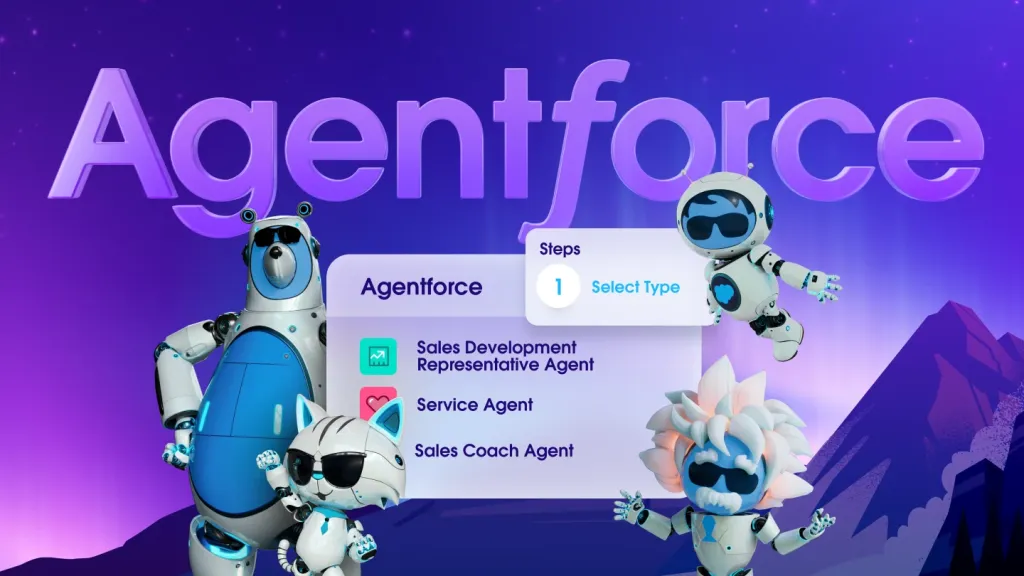
Agentforce & Salesforce: Reimagining Customer Service

Agentforce & Salesforce: Reimagining Customer Service

Customer service has come a long way from call centers and long hold times. As customer expectations have evolved, so too has the need for smarter, more agile support solutions. This is where Salesforce Agentforce enters the picture—a modern way of referring to the powerful tools and features within Salesforce Service Cloud that empower agents to deliver faster, more personalized service across every channel.

So, where did it all begin? Let’s take a step back and explore the origins, evolution, and impact of what’s now called Agentforce.


Where It Started: The Idea Behind Agentforce

Back in 2009, when Salesforce first launched its Service Cloud, the mission was clear: bring customer service into the cloud era—just as Salesforce CRM had done for sales.

Initially, the focus was on creating a centralized platform where agents could view cases, respond to customer inquiries, and track support metrics—all in one place. This approach not only eliminated the need for disconnected systems, but also empowered service teams to work more efficiently.

Over time, however, this vision expanded. The goal became broader: to empower agents not just to react to problems, but also to anticipate them, personalize service, and delight customers at scale. As a result, the growing ecosystem of tools that support this mission is now often referred to by users and experts alike as “Agentforce.”


What Is Agentforce Today?

To clarify, Agentforce isn’t an official Salesforce product. Instead, it’s a term that reflects the agent-focused functionality within Service Cloud. Specifically, it includes:

  • Service Console – A unified, tab-based workspace for handling multiple cases.

  • Einstein AI for Service – Predictive and intelligent tools that suggest replies and next best actions.

  • Omnichannel Routing – Automatic case assignment based on agent availability and skill.

  • Knowledge Base – Easy access to help articles and solutions.

  • Digital Engagement Tools – Chat, SMS, and social messaging integration.

Together, this ecosystem allows agents to work faster, smarter, and across more channels than ever before.


How Agentforce Was Built: Technology and Vision

From the very beginning, Agentforce was built on Salesforce’s core principles:

  • Cloud-first – Accessible anywhere, anytime

  • Scalable architecture – Suitable for startups and global enterprises alike

  • Customer-centric design – Tools that empower people, not just processes

With each new release, Salesforce enhanced these tools with AI (Einstein), automation (Flow), and integrations with third-party channels like WhatsApp, Facebook Messenger, and Slack. As a result, the platform became increasingly adaptable, future-ready, and powerful.


Why Agentforce Matters Today

Today’s customers expect more. Long wait times and generic responses are no longer acceptable. Instead, they demand fast, personalized support—on their own terms.

Here’s where Agentforce makes a difference. It helps companies:

  • Boost agent productivity

  • Reduce case resolution times

  • Increase customer satisfaction (CSAT)

  • Scale service operations without compromising quality

Whether you’re a small support team or a global enterprise, Agentforce enables modern, omnichannel service at scale.


Final Thoughts

What began as a simple idea—to give agents a better view of the customer—has grown into a dynamic, AI-powered service ecosystem. Salesforce Agentforce is not just a set of tools. It’s a philosophy—a commitment to empowering agents to be proactive, responsive, and genuinely customer-focused.

So, whether you’re just starting out with Service Cloud or aiming to take your support operations to the next level, investing in Agentforce capabilities is a smart step toward smarter, more human customer service.

Transform Customer Service with Salesforce Agentforce

Transform Customer Service with Salesforce Agentforce

In today’s hyper-connected world, customer expectations are higher than ever. They want fast, personalized, and efficient service—anytime, anywhere. This is where Salesforce Service Cloud comes into play, empowering support teams with tools that turn reactive service into proactive engagement. At the heart of this transformation is what many teams refer to as “Agentforce”—the combined power of Service Cloud’s agent-facing capabilities.

Let’s explore what makes “Agentforce” the secret weapon for modern service teams.


Core Features Empowering Agents

1. Service Console

The Service Console provides a unified interface that allows agents to:

  • View all case details, customer history, and related records in one place.

  • Work on multiple cases using tabbed navigation.

  • Reduce clicks and time spent switching between screens.

2. Einstein for Service

AI-driven recommendations and automation help agents:

  • Get real-time suggested replies.

  • Predict case fields or next best actions.

  • Auto-classify and route cases based on historical patterns.

3. Omnichannel Routing

Automatically directs cases, chats, and messages to the right agent based on availability, skills, and priority:

  • No manual case assignment.

  • Improves first-response time and resolution rates.

  • Prevents agent overload.

4. Digital Engagement

Engage with customers where they are—SMS, WhatsApp, chat, Facebook Messenger, and more—all from within Salesforce.

5. Knowledge Integration

Agents can access a centralized knowledge base and easily share articles with customers. With Einstein Knowledge, the system even recommends articles based on the case context.


Benefits of a Strong “Agentforce” Setup

  • Increased Efficiency: Agents spend less time navigating systems and more time solving problems.

  • Higher CSAT: Faster response times and personalized service lead to happier customers.

  • Better Insights: Managers can monitor agent performance, case trends, and customer sentiment in real time.

  • Scalability: Whether you’re a 5-person support team or a global call center, Agentforce tools scale with you.


Real-World Impact

Companies using Service Cloud often report:

  • Up to 45% increase in agent productivity

  • 30% faster case resolution times

  • Significant improvements in customer satisfaction (CSAT) and Net Promoter Scores (NPS)


Final Thoughts

Salesforce’s “Agentforce” isn’t a single feature—it’s the sum of intelligent tools, smart automation, and intuitive interfaces that empower service teams to thrive. Whether you’re managing a support team of five or five hundred, investing in your agents’ tools is investing in your customer experience.

If you’re looking to build a responsive, scalable, and intelligent service operation, Salesforce Service Cloud’s Agentforce capabilities are where your journey should begin.

Real-Time KPI Tracking with Salesforce Data Cloud: The Future of Business Intelligence

In today’s fast-paced business environment, decisions can’t afford to wait for end-of-week reports. Real-time data has shifted from being a luxury to an absolute necessity. This is where Salesforce Data Cloud stands out as a transformative tool for business intelligence.

Formerly known as the Customer Data Platform (CDP), Salesforce Data Cloud consolidates fragmented data into a real-time engine of insights. When it comes to tracking Key Performance Indicators (KPIs), it transforms static dashboards into dynamic, actionable sources of truth.

Let’s break down how Salesforce Data Cloud helps your team stay on top of KPIs—right when they matter most.

What is Salesforce Data Cloud?

Salesforce Data Cloud is a hyperscale data platform designed to unify and analyze data from various sources. It provides:

  • Seamless data unification: From Salesforce apps, external systems, APIs, and more

  • Real-time data graph: Integrating customer profiles, behaviors, and performance in real time

  • AI-driven insights: Fueling intelligent, automated actions across the Salesforce ecosystem

With Data Cloud, your KPIs aren’t based on outdated data—they reflect what’s happening right now, enabling faster, smarter decision-making.

How Data Cloud Enhances KPI Monitoring

Real-Time Data Unification

Salesforce Data Cloud aggregates and updates data from multiple sources in milliseconds.

  • No more waiting for nightly syncs: Data is refreshed in real-time, ensuring your KPIs are up-to-date.

  • Live updates as events happen: Whether sales close, cases are resolved, or campaigns launch, your KPIs reflect the current state.

  • Instant reflection of actions: Dashboards immediately reflect shifts in metrics without manual refreshes.

Example: You can see pipeline coverage or CSAT scores shift in real time as customer interactions happen—no delays, no backlogs.

Dynamic Customer Profiles = Smarter KPIs

Data Cloud creates dynamic, unified customer profiles by combining behavior, transaction, and interaction data.

  • Track customer-level KPIs like:

    • Lifetime Value

    • Churn Risk Score

    • Engagement Score

  • Real-time adjustments to journeys and outreach based on evolving customer profiles.

Example: If a customer’s sentiment decreases and their engagement declines, their churn risk KPI increases, triggering an automatic retention campaign.

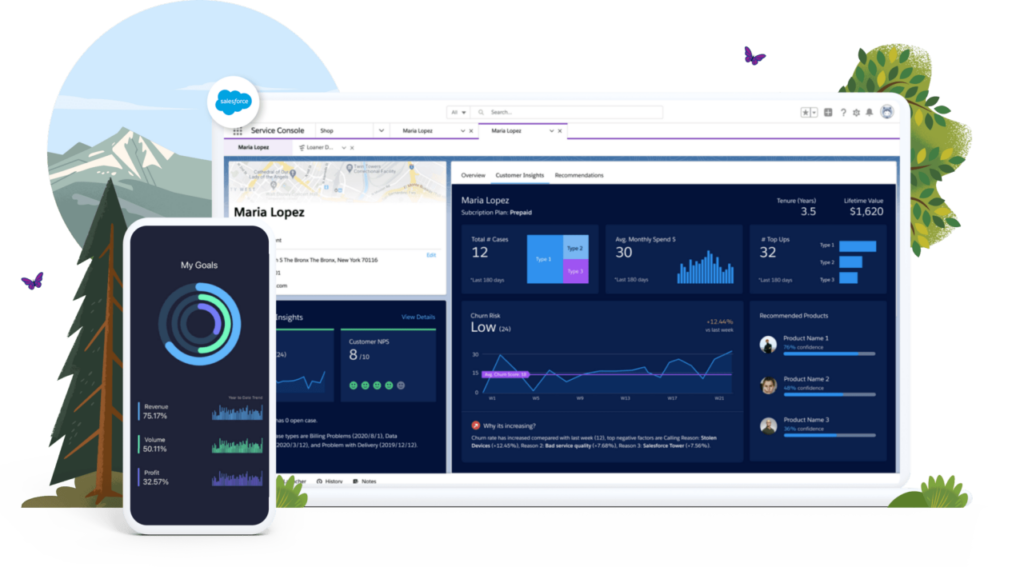
Personalized Dashboards for Every Role

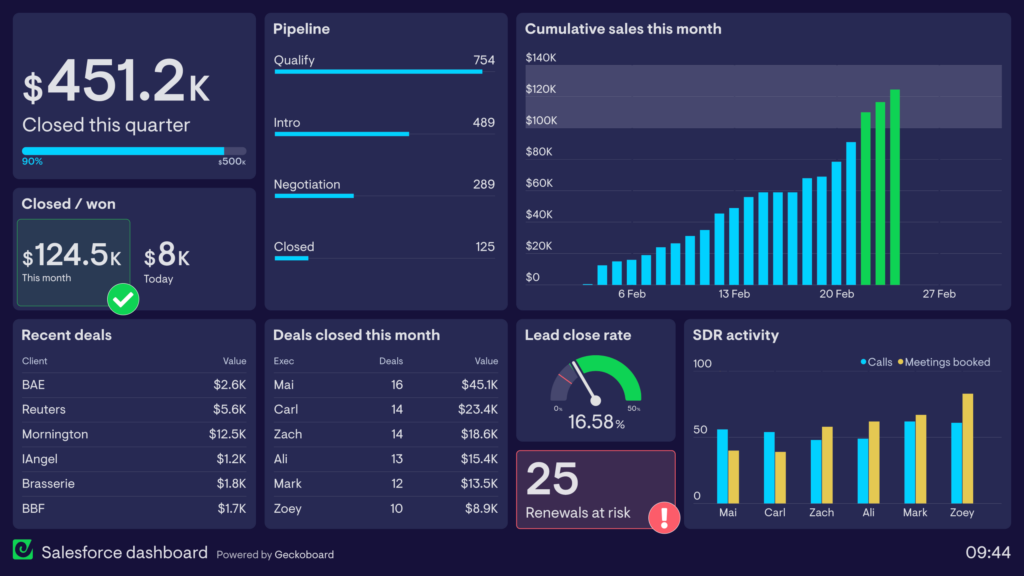
With real-time data, your teams can instantly access and act on KPI insights. Personalized dashboards become immediately actionable for everyone:

  • Sales teams receive live updates on quota, win rate, and forecast.

  • Service teams track NPS, case volume, and resolution time in real time.

  • Marketing teams see CTR, MQLs, and campaign ROI evolve as customer actions unfold.

No more relying on IT for data pulls or waiting for reports—insights are delivered on-demand.

AI + Data Cloud = Predictive KPIs

Combining Einstein AI with Salesforce Data Cloud, businesses can predict future KPI trends before they occur:

  • Receive alerts when KPIs are on the verge of falling outside of set thresholds.

  • Forecast future performance based on emerging real-time patterns.

  • Optimize strategy before performance drops, keeping teams proactive.

Example: If lead conversion rates start declining based on real-time traffic patterns, the system can flag the issue early—before it affects your monthly goals.

Trigger Automation Based on KPI Changes

As part of the Salesforce ecosystem, Data Cloud doesn’t just track KPIs—it helps you act on them in real time:

  • Trigger automatic actions like launching journeys, tasks, or alerts when KPI thresholds are met or exceeded.

  • Adjust marketing, messaging, or case routing based on live metrics.

Example: If CSAT falls below 80%, Data Cloud can automatically trigger a follow-up email or escalate the case to higher priority.


Final Thoughts: KPIs Without Lag

Salesforce Data Cloud revolutionizes the way businesses track KPIs. Instead of looking in the rearview mirror with outdated reports, you’re navigating forward with real-time dashboards as your guide.

With unified data, AI-powered insights, and the ability to respond instantly to live metrics, your KPIs become more than just numbers—they become your early warning system, your strategic compass, and your performance accelerator.


Ready to Make Your KPIs Real-Time?

If you’re still relying on static dashboards or delayed reports, it’s time for a change. With Salesforce Data Cloud, you’ll never miss a crucial moment. Empower your team to make smarter decisions—instantly.

Unlocking the Power of KPIs: How Salesforce and Tableau Make Reporting Actionable

Salesforce isn’t just a CRM—it’s a full-featured platform built to help businesses grow smarter, faster, and more efficiently. But to make real progress, you need to know exactly how you’re doing. That’s where KPIs (Key Performance Indicators) come in.

Tracking KPIs is essential for measuring progress toward your goals, and Salesforce offers powerful, flexible tools to create, visualize, and act on those metrics. Whether you’re in Sales, Service, or Marketing, Salesforce has the features to make your KPIs more actionable and impactful.

Why Use Salesforce for KPI Reporting?

Salesforce is more than capable of tracking performance—it’s built to drive performance. It doesn’t just show you what happened; it helps you understand why, predict what’s next, and guide teams toward what to do.

With the right setup, Salesforce becomes your KPI command center, and when you integrate Tableau, you unlock even more power for data visualization and advanced analytics.

Salesforce Features for Building KPI Reports

Here are the key tools and features in Salesforce you can use to create, manage, and visualize KPI reports:

1. Reports & Dashboards

Your core tools for real-time KPI tracking.

  • Standard Reports: Easily report on opportunities, leads, cases, and more.

  • Custom Reports: Tailor data views to your specific KPIs.

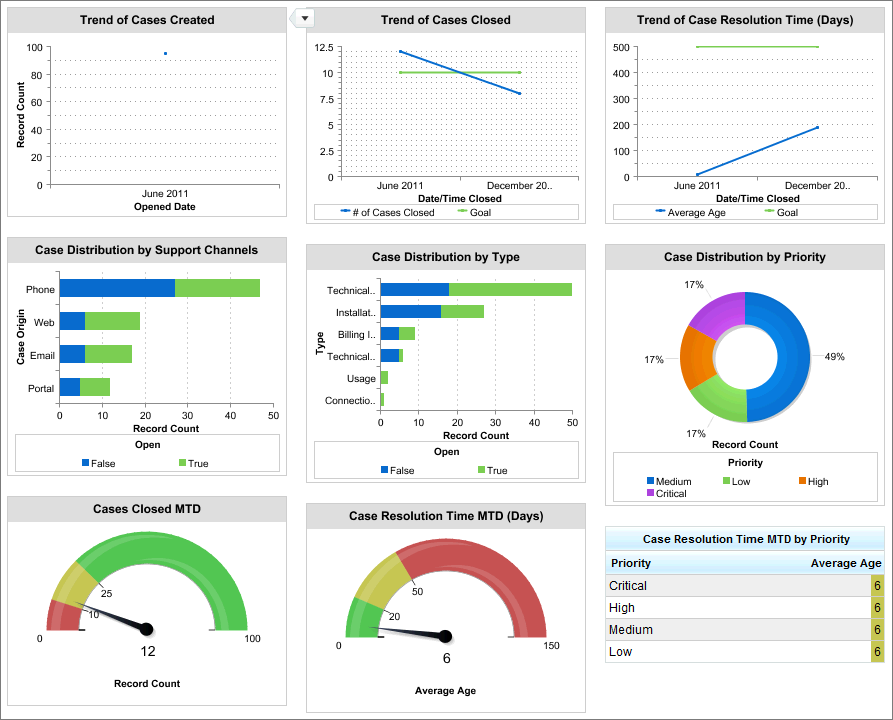
  • Dashboards: Visualize your KPIs with charts, gauges, and tables.

  • Filters & Drilldowns: Zoom in on teams, time periods, or territories.

Example: Create a dashboard showing Sales KPIs like Pipeline Value, Win Rate, and Forecast Accuracy—updated in real-time.

2. Custom Fields & Formula Fields

KPIs often need calculations—Salesforce lets you build those right into your data.

  • Use formula fields to calculate things like conversion rates, SLA adherence, or ROI.

  • Use custom fields to track KPIs unique to your organization or industry.

Example: Track a “Customer Health Score” based on product usage, support cases, and engagement—all in one field.

3. Goals & Performance Management

Set measurable goals and track progress over time.

  • Use the Performance Management features in Sales Cloud to set rep-specific targets (e.g., quarterly quota).

  • Visualize goal progress right in dashboards or Lightning components.

Example: Compare each sales rep’s closed deals against their monthly quota, automatically updated from live opportunity data.

4. Einstein Analytics (CRM Analytics)

For advanced users looking for deeper, AI-powered insights.

  • Build predictive dashboards using historical trends.

  • Spot KPI anomalies automatically with AI insights.

  • Forecast future performance and uncover hidden patterns.

Example: Use Einstein to predict lead conversion likelihood and adjust campaign tactics based on real-time scoring.

5. Marketing Cloud Intelligence (Datorama)

For marketers tracking KPIs across multiple platforms.

  • Consolidate data from email, social, ads, and web into a single view.

  • Build cross-channel dashboards to track performance from campaign to conversion.

  • Visualize marketing ROI clearly and confidently.

Example: Show ROI across all campaigns, broken down by channel, cost, and conversion in one place.

6. Scheduled Reports & Alerts

Stay proactive with automated reporting.

  • Set up scheduled email reports to share KPI data with teams.

  • Create threshold-based alerts for when KPIs fall outside of target ranges.

Example: Trigger an alert if case resolution time exceeds SLA limits, or if weekly revenue forecast drops below goal.


Salesforce + Tableau: The Ultimate Reporting Duo

While Salesforce provides robust tools for KPI tracking, Tableau—Salesforce’s powerful data visualization platform—takes your reporting to the next level. Tableau allows you to create highly interactive, visually engaging reports and dashboards that help you dive deeper into your data, uncover hidden patterns, and forecast future trends.

Here’s how Tableau enhances your Salesforce KPI reports:

Advanced Data Visualizations

Tableau’s visualizations help you see your KPIs like never before. With Salesforce data integrated into Tableau, you can create visually stunning charts, graphs, heat maps, and scatter plots that offer a more detailed understanding of your performance metrics. These visuals can highlight trends, relationships, and outliers that might not be immediately obvious in standard Salesforce reports.

Example: Visualize sales performance across multiple regions with heat maps that highlight areas of high and low sales activity, allowing you to take immediate action.

Predictive Analytics

Tableau brings powerful predictive analytics to Salesforce data. With machine learning models and statistical analysis, Tableau helps you forecast KPIs like sales revenue, customer churn, and product demand. This enables you to make proactive decisions rather than reactive ones.

Example: Use Tableau to predict next quarter’s sales figures based on historical performance, customer behavior, and seasonality trends.

Real-Time Data

Tableau integrates with Salesforce’s real-time data to provide up-to-the-minute insights. As soon as Salesforce data is updated, Tableau reflects the changes, allowing you to make decisions based on the most current information available.

Example: Track live sales opportunities and see them reflected instantly in Tableau dashboards, so your team can act on high-value opportunities as they arise.

Interactive Dashboards

Tableau’s interactive dashboards allow users to drill down into specific metrics to uncover deeper insights. Whether you’re exploring customer behavior, sales cycles, or marketing ROI, you can click through dashboards to get detailed, granular data.

Example: Click on a specific region in a Tableau sales dashboard to see detailed performance data for individual sales reps, allowing for tailored coaching and support.

Data Blending

Tableau’s data blending feature allows you to combine Salesforce data with data from other systems (like marketing platforms, ERP systems, or social media tools). This creates a comprehensive view of your KPIs, allowing for cross-departmental insights and better-informed decisions.

Example: Combine sales data from Salesforce with customer feedback data from surveys to build a unified view of customer satisfaction and sales performance.


Best Practices for KPI Reporting in Salesforce and Tableau

To make your Salesforce and Tableau KPI setup truly effective, here are some best practices to keep in mind:

  • Start with your goals: Align your KPIs with specific, measurable objectives that drive business growth.

  • Simplify and focus: While it’s tempting to track a wide array of metrics, focus on the KPIs that matter most to your success.

  • Tailor dashboards to roles: Ensure each team has a dashboard that shows the KPIs relevant to their responsibilities. Sales reps should see sales KPIs, while marketing teams should focus on campaign performance.

  • Review and iterate: As your business grows and evolves, so should your KPIs. Regularly review your reports to ensure they reflect the most important aspects of your business.


Final Thoughts

Salesforce gives you the tools to track, measure, and act on your KPIs—but when you integrate Tableau, you unlock an entirely new level of analytics and visualization. Whether you’re in Sales, Service, or Marketing, Salesforce and Tableau together help you stay aligned, focused, and data-driven. With real-time data, advanced analytics, and interactive dashboards, your team will be empowered to make smarter decisions, faster.

Choose the right metrics. Build meaningful reports. Set your team up to win—again and again.

Tracking What Matters: KPIs in Salesforce Service Cloud

In the world of customer service, every second counts and every interaction matters. Salesforce Service Cloud empowers support teams with powerful tools to deliver fast, personalized, and effective service. But without the right Key Performance Indicators (KPIs), even the most advanced CRM can’t guarantee success.

KPIs in Service Cloud aren’t just about measurement—they’re about momentum. They help you identify what’s working, what’s not, and how to continually improve the customer experience.

Why KPIs Are Critical in Service Cloud

Customer expectations are sky-high. They want fast responses, seamless resolutions, and consistent service across every channel. KPIs give service leaders the ability to:

  • Monitor performance in real time

  • Detect bottlenecks or service gaps

  • Drive team accountability

  • Align operations with business-wide customer experience goals

In short, KPIs turn data into action.

Essential KPIs to Track in Service Cloud

Here are the key metrics every service team should keep a close eye on:

1. First Response Time (FRT)

How quickly are agents responding to new cases? A fast FRT shows responsiveness and is a strong indicator of good customer service.

2. Case Resolution Time

How long does it take to fully resolve a case? Service Cloud lets you break this down by agent, channel, or issue type to spot trends.

3. Customer Satisfaction Score (CSAT)

Use automated surveys post-interaction to track how happy customers are with their service experience.

4. Case Volume

Monitor how many cases are coming in—by channel, product, or region. Spikes may indicate product issues, seasonal trends, or resource gaps.

5. Agent Productivity

Measure cases closed per agent, time spent per case, and agent availability to optimize staffing and performance.

6. Service Level Agreement (SLA) Compliance

Are cases being resolved within promised timeframes? SLA breaches can lead to poor experiences—and lost trust.

Align KPIs with Strategic Goals

It’s not enough to just measure performance. Your KPIs must reflect what your company values most—whether that’s speed, quality, personalization, or efficiency.

  • If your goal is customer retention, prioritize CSAT and resolution quality.

  • If you’re focused on scaling service operations, track agent productivity and automation rates.

  • For cost-efficiency, monitor cost per case and time to resolution.

Without alignment, KPIs become just numbers—pretty dashboards that don’t tell the real story.

The Risk of Misguided Metrics

When KPIs aren’t well thought out, they can actually work against you:

  • Agents may rush through tickets to hit quotas, sacrificing quality.

  • Teams may obsess over low-impact metrics (e.g., total chats handled) instead of what truly drives customer loyalty.

  • Leadership might misinterpret data, making decisions that fix the wrong problems.

Salesforce Service Cloud offers deep analytics, but it’s up to you to choose KPIs that guide the business forward—not sideways.

Making the Most of Service Cloud KPIs

To get full value from your KPIs in Salesforce:

  • Use Reports & Dashboards to track key metrics in real-time

  • Set up automated alerts for SLA violations or satisfaction drops

  • Leverage Einstein AI for predictive insights and trend forecasting

  • Continuously review and refine KPIs based on evolving goals

Final Thoughts

The magic of Salesforce Service Cloud lies in its ability to turn data into service excellence. But the true transformation only happens when you focus on KPIs that matter—ones that reflect your goals, empower your team, and enhance your customer experience.

Choose your metrics with care, align them with purpose, and let them drive your service strategy forward.

KPIs in Salesforce Marketing Cloud: Measuring What Moves the Market

In the fast-evolving world of digital marketing, gut feelings don’t cut it anymore. Success is data-driven—and the smartest marketers know that Key Performance Indicators (KPIs) are their most valuable tools.

Salesforce Marketing Cloud offers unmatched tools for personalization, automation, and engagement. But to make the most of it, you need to be measuring the right things. KPIs in Marketing Cloud aren’t just for reporting—they’re for steering strategy and proving impact.


Why KPIs Matter in Marketing Cloud

Salesforce Marketing Cloud connects your marketing efforts across email, social, web, SMS, and more. That means tons of data—but not all data is meaningful. KPIs help you:

  • Measure campaign performance

  • Understand customer behavior

  • Justify marketing spend

  • Optimize targeting and timing

  • Align marketing efforts with business objectives

In short, KPIs are how you turn marketing activity into marketing intelligence.


Top KPIs to Track in Salesforce Marketing Cloud

Here are the essential KPIs every marketing team should be monitoring:

1. Email Open Rate

A measure of subject line effectiveness and audience interest. Low open rates? It’s time to rework your messaging or targeting.

2. Click-Through Rate (CTR)

Shows how many recipients engaged with your content. This is where creative and call-to-action strength really show.

3. Conversion Rate

Beyond clicks—did they take the action you wanted (buy, sign up, download)? This is a true measure of campaign impact.

4. Unsubscribe Rate

A high unsubscribe rate is a red flag for relevance. It’s a signal to improve targeting or frequency.

5. Customer Engagement Score

Tracks how engaged individual contacts are across multiple touchpoints—useful for segmentation and automation.

6. ROI (Return on Investment)

The ultimate KPI—did your campaign generate more value than it cost?


Aligning KPIs With Marketing Goals

KPIs should never be chosen randomly—they must reflect your team’s specific goals:

  • If your goal is brand awareness, focus on reach, impressions, and engagement.

  • If you’re aiming for lead generation, prioritize form submissions, downloads, and MQLs.

  • If it’s customer retention, track repeat purchases, email engagement, and lifecycle value.

Salesforce Marketing Cloud helps you build tailored journeys—but KPIs make sure those journeys actually work.


What Happens When KPIs Go Wrong

KPIs can backfire when they’re:

  • Misaligned – Measuring clicks when your goal is conversions

  • Too many – Overloading teams with data that distracts rather than guides

  • Too vague – “Improve engagement” isn’t a KPI. “Increase CTR by 15% in Q2” is.

Bad KPIs lead to bad strategies. Teams chase vanity metrics, budgets get misallocated, and performance stalls.


Making KPIs Work in Marketing Cloud

Salesforce Marketing Cloud gives you the tools to turn insights into action:

  • Email Studio + reports = detailed tracking of opens, clicks, bounces

  • Journey Builder = map out full customer paths and track drop-off points

  • Einstein Engagement Scoring = predict who’s likely to engage next

  • Datorama (now Marketing Cloud Intelligence) = unify all your marketing data and visualize KPIs in real-time

With Marketing Cloud, you’re not just tracking performance—you’re optimizing it, automatically.


Final Thoughts

In Salesforce Marketing Cloud, KPIs are more than just metrics—they’re your marketing GPS. They show you what’s working, what’s not, and where to go next.

But it all comes down to choosing the right ones. Align your KPIs with your goals, stay focused on impact, and let Salesforce help you build campaigns that aren’t just beautiful—they’re measurably successful.

KPIs in Salesforce Sales Cloud: Driving Smarter Sales Performance

In sales, success isn’t just about effort—it’s about direction. You can have a talented team, a solid pipeline, and strong leads, but without the right Key Performance Indicators (KPIs), it’s easy to lose sight of what really matters.

Salesforce Sales Cloud is a powerful platform built to streamline and supercharge your sales operations. But to get the most out of it, your KPIs need to be crystal clear, well-aligned, and strategically selected.


What Are KPIs in Sales Cloud?

In Salesforce Sales Cloud, KPIs are the critical metrics that track progress toward your sales goals. From opportunity creation to revenue closed, Sales Cloud gives you the tools to measure performance at every stage of the sales process.

These KPIs help you:

  • Identify high-performing reps and teams

  • Forecast revenue more accurately

  • Pinpoint bottlenecks in the sales funnel

  • Align actions with larger business objectives

But here’s the catch: KPIs are only valuable if they’re measuring the right things.


Key Sales KPIs Worth Tracking

Here are some of the most impactful KPIs to track using Salesforce Sales Cloud:

1. Opportunity Win Rate

Measures how many opportunities result in closed deals. Great for assessing team effectiveness and sales process health.

2. Average Deal Size

Helps you understand revenue potential and prioritize high-value opportunities.

3. Sales Cycle Length

Tracks how long it takes to close a deal from initial contact to signing. A longer cycle might indicate process inefficiencies.

4. Pipeline Coverage Ratio

Compares total pipeline value to quota. A 3:1 ratio is a common benchmark, but it depends on your industry and close rates.

5. Lead Conversion Rate

Shows how many leads turn into actual opportunities. Low conversion may mean poor lead quality or ineffective outreach.

6. Forecast Accuracy

Tells you how close your projected revenue is to actual results—critical for planning and investor confidence.


Aligning KPIs With Strategic Goals

Not every metric deserves to be a KPI. To make your KPIs meaningful:

  • Tie them directly to business objectives. Want to grow revenue? Focus on win rates and deal size. Want to expand into new markets? Track new customer acquisition and regional sales.

  • Avoid vanity metrics. Don’t obsess over number of calls or emails if they don’t lead to results. Focus on impact, not just activity.

  • Customize for your team’s workflow. Use Salesforce’s customizable dashboards to tailor KPI tracking to roles—what a sales manager needs is different from a rep or an executive.


The Risks of Poorly Chosen KPIs

Misaligned or meaningless KPIs can cause real harm:

  • Distracted Teams: Reps chase metrics that don’t contribute to real outcomes.

  • Misguided Strategy: Leadership makes decisions based on misleading numbers.

  • Burnout: Teams feel pressured to hit numbers that don’t reflect success.

Salesforce gives you a ton of data. The challenge—and the opportunity—is using it wisely.


How Salesforce Sales Cloud Helps You Stay on Track

Sales Cloud doesn’t just track KPIs—it helps you act on them. Use features like:

  • Custom Reports & Dashboards for real-time insights

  • Einstein Analytics for predictive forecasting

  • Goal setting & performance tracking across teams

  • Automation to trigger alerts when KPIs dip below targets

When you combine strong KPIs with Salesforce’s tools, you create a sales system that’s not just reactive—but proactive.


Final Thoughts

KPIs in Salesforce Sales Cloud aren’t just about checking boxes. They’re about focus, clarity, and alignment. With the right metrics in place, your sales team can close more deals, faster—and do it in a way that supports your company’s long-term vision.

Choose your KPIs wisely. Align them with what matters. And let Salesforce do the heavy lifting on tracking and optimization.

Agentforce AI in Action: How Salesforce is Powering the Future of Sales

In today’s fast-paced sales environment, efficiency and personalization are key to staying ahead. Salesforce’s Agentforce, an AI-powered platform, is transforming sales processes by automating tasks, providing valuable insights, and enhancing customer interactions. This integration with Sales Cloud empowers sales teams to operate more effectively and close deals faster.

Understanding Agentforce AI in Sales Cloud

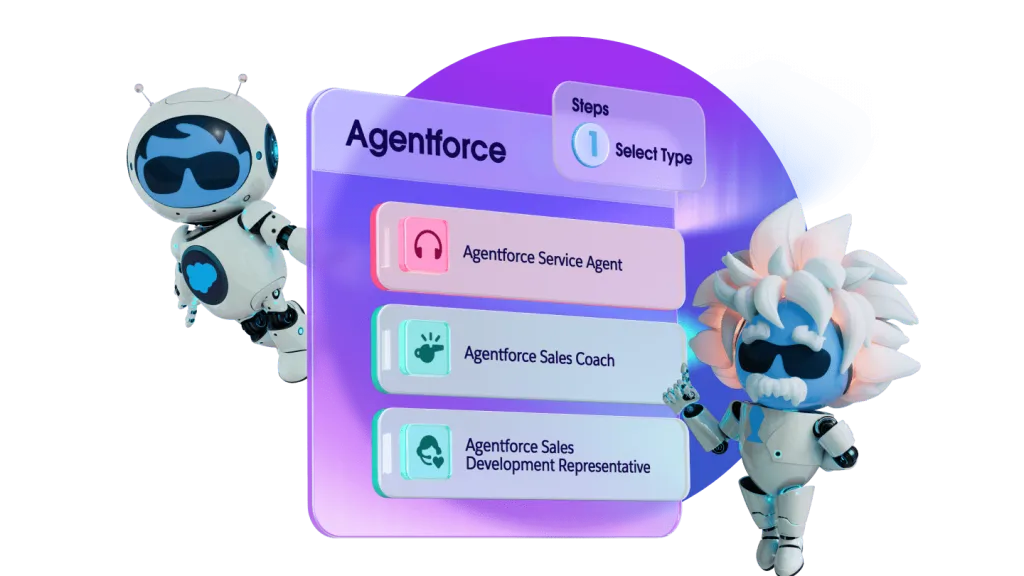
Agentforce AI is a suite of autonomous AI agents designed to support various business functions, including sales. Within Sales Cloud, Agentforce AI acts as an intelligent assistant, capable of executing specialized tasks such as:

  • Lead Qualification: Agentforce AI can autonomously engage with potential leads, assess their interest and fit, and prioritize them for sales representatives, ensuring that efforts are focused on high-potential opportunities.

  • Follow-Up Automation: The AI agents can handle routine follow-up communications, keeping prospects engaged and moving them through the sales funnel without manual intervention.

  • Sales Coaching: Agentforce AI provides real-time guidance to sales reps during customer interactions, offering tips on objection handling and suggesting next-best actions based on historical data and best practices.

Benefits of Agentforce AI for Sales Teams

Integrating Agentforce AI into Sales Cloud offers several advantages:

  • Increased Productivity: By automating time-consuming tasks, sales representatives can focus more on building relationships and closing deals.

  • Enhanced Customer Engagement: Personalized and timely interactions, driven by AI insights, lead to a more engaging customer experience.

  • Data-Driven Decision Making: Agentforce AI analyzes vast amounts of data to provide actionable insights, helping sales teams make informed decisions and strategize effectively.

Implementing Agentforce AI in Your Sales Strategy

Adopting Agentforce AI within Sales Cloud is a strategic move towards modernizing your sales operations. It involves:

  1. Customization: Tailoring AI agents to align with your specific sales processes and objectives:

  2. Integration: Seamlessly connecting Agentforce AI with your existing CRM and data sources to ensure a unified workflow.

  3. Training: Educating your sales team on leveraging AI insights and tools to maximize the benefits of Agentforce AI.

By embracing Agentforce AI, sales organizations can not only enhance efficiency but also deliver a more personalized and responsive experience to their customers, ultimately driving growth and success in the competitive sales landscape.

KPIs That Count: Why Smart Metrics Matter for Business Success

In today’s data-driven world, Key Performance Indicators (KPIs) are more than just numbers on a dashboard—they’re the compass guiding your business decisions. When done right, KPIs keep teams aligned, focused, and pushing in the same direction. But when they’re off-target, vague, or disconnected from your core goals? They can do more harm than good.

What Are KPIs, Really?

KPIs are measurable values that reflect how well a company, team, or individual is achieving key business objectives. Think of them as mile markers on the road to success—they tell you if you’re getting closer to your destination or heading off-course.

Whether you’re tracking revenue growth, customer retention, or operational efficiency, a well-chosen KPI gives you real insight into performance and progress.

The Power of Goal-Aligned KPIs

A great KPI doesn’t just measure activity—it supports your strategic goals. For example:

  • If your goal is customer loyalty, tracking Net Promoter Score (NPS) or customer churn makes sense.

  • If you’re aiming for market expansion, KPIs like new customer acquisition or market share growth are more relevant.

When KPIs are tied directly to company goals:

  • Everyone is clear on what success looks like.

  • Teams can prioritize work that actually moves the needle.

  • Leaders can make smarter, faster decisions based on what matters most.

The Danger of Misaligned or Vague KPIs

Poorly chosen KPIs aren’t just unhelpful—they can actively lead your business in the wrong direction. Here’s how:

1. Wasted Resources

Tracking what’s easy instead of what’s meaningful leads to teams focusing on the wrong tasks. Time, money, and energy get burned on efforts that don’t support long-term objectives.

2. Confused Teams

If KPIs don’t clearly align with strategic goals, teams may work at cross-purposes. Without a shared sense of direction, productivity suffers and morale can drop.

3. False Sense of Progress

You might hit your numbers but still be off-track. That’s the danger of vanity metrics—numbers that look good on paper but don’t reflect real impact (like tracking social media likes when your goal is lead generation).

4. Missed Opportunities

Without the right KPIs, it’s harder to identify underperformance, adapt strategies, or seize new growth opportunities in time.

Building KPIs That Actually Work

Want your KPIs to drive success? Start with these principles:

  • Align with company goals – Every KPI should map directly to a strategic objective.

  • Be specific and measurable – “Improve customer experience” is a goal; “Increase NPS by 10 points in 6 months” is a KPI.

  • Keep them actionable – You should be able to influence the outcome of a KPI through clear actions.

  • Focus on what matters most – Don’t overload your teams. Choose a few high-impact KPIs that really tell the story.

Bottom Line

KPIs can be a powerful force for focus and growth—but only if they’re thoughtfully designed. When aligned with your company’s strategic goals, they give your team clarity, drive, and purpose. But when KPIs are chosen without intention? They can cloud your vision and derail your progress.

So, take the time to get them right. Because when KPIs are smart, your strategy becomes unstoppable.

C&C EE (formerly iDeal Eesti) Salesforce Marketing Cloud Use Case

About C&C EE

C&C EE is an Apple Premium Partner operating in Estonia, Latvia, and Finland. The company serves the B2C market under the iDeal brand in Estonia and Latvia, while its B2B operations in Estonia are handled through the Valge Klaar brand. With approximately 100 employees, C&C EE achieved a turnover of 63 million euros in 2023.

Challenge

As iDeal Group expanded across multiple markets, it faced challenges managing customer data across business segments. To address this, the company needed a seamless system to track daily B2C transactions and ensure a unified 360-degree customer view for marketing and service teams. Additionally, it aimed to enhance lead generation for both B2C and B2B markets, thereby improving customer acquisition and engagement.

Solution

iDeal Group implemented Salesforce’s Marketing, Sales, and Service Clouds to centralize and optimize its customer interactions. Key aspects of the implementation included:

  • Sales Cloud: Provided real-time visibility into all daily B2C transactions, creating a comprehensive customer 360-degree view.
  • Marketing Cloud: Enabled targeted marketing campaigns by leveraging customer data from Sales Cloud, ensuring personalized communication and customer engagement.
  • Service Cloud: Allowed customer service teams to access the full customer journey, leading to faster issue resolution and improved customer satisfaction.
  • Lead Generation Optimization:
    • B2C leads were generated and nurtured through Marketing Cloud.
    • B2B leads were managed within Sales Cloud, ensuring streamlined sales processes and pipeline visibility.

Results

The integration of Salesforce solutions has driven significant improvements in iDeal Group’s sales, marketing, and service operations. Key outcomes include:

  • Improved Marketing Insights: With a full 360-degree view of customers, iDeal Group can now analyze the impact of different marketing channels, leading to more effective campaign strategies.
  • Increased Sales from Marketing Subscribers: The number of sales transactions generated from customers subscribed to marketing communications has grown steadily year over year.
  • Enhanced Lead Generation: Thanks to seamless integration between Marketing Cloud and Sales Cloud, lead generation has seen high annual growth rates for both B2C and B2B sectors, driving new customer acquisitions and business expansion.

By leveraging Salesforce’s comprehensive suite of solutions, iDeal Group has enhanced customer engagement and optimized marketing efforts. This has strengthened its sales pipeline, paving the way for continued growth and innovation.

Boost Engagement & Revenue with Salesforce Marketing Cloud

Unlocking Business Growth with Salesforce Marketing Cloud

In today’s competitive digital landscape, businesses must find innovative ways to connect with their audiences, drive engagement, and increase conversions. Salesforce Marketing Cloud (SFMC) is a powerful customer relationship management (CRM) platform designed specifically for marketers to create personalized, data-driven campaigns that enhance customer interactions. In this blog, we’ll explore how SFMC works and how it can help businesses improve their performance metrics.

What is Salesforce Marketing Cloud?

Salesforce Marketing Cloud is a comprehensive digital marketing platform that allows businesses to automate and personalize customer engagement across multiple channels, including email, social media, mobile, and web. By leveraging AI, data analytics, and automation, SFMC enables organizations to craft seamless and targeted marketing campaigns.

How Does Salesforce Marketing Cloud Work?

SFMC operates through a set of integrated tools that help businesses manage customer journeys and optimize marketing strategies. Here’s a breakdown of its key components:

  1. Email Studio – Enables marketers to create, automate, and send personalized email campaigns based on customer behavior and preferences.
  2. Journey Builder – Helps businesses design and automate customized customer journeys that provide tailored interactions at every stage of the sales funnel.
  3. Advertising Studio – Allows marketers to sync CRM data with advertising platforms (Google, Facebook, LinkedIn) to create targeted ad campaigns.
  4. Mobile Studio – Engages customers through SMS, push notifications, and in-app messaging.
  5. Social Studio – Manages and analyzes social media engagement while helping brands build stronger online communities.
  6. Audience Studio – Collects and analyzes customer data to create detailed audience segments for personalized messaging.
  7. Data Studio – Provides access to third-party data to enhance audience insights and campaign precision.
  8. Datorama – A marketing intelligence tool that provides real-time analytics and performance tracking.
  9. Interaction Studio – Offers AI-powered real-time personalization to create highly relevant customer experiences.

How Salesforce Marketing Cloud Improves Business Performance

1. Enhanced Personalization

With SFMC’s AI-driven analytics and segmentation tools, businesses can create highly targeted campaigns tailored to individual customer preferences, increasing engagement and conversion rates.

2. Streamlined Automation

Marketing automation reduces manual efforts and ensures timely, relevant messaging. Journey Builder helps businesses automate customer interactions, from onboarding sequences to retention campaigns.

3. Data-Driven Decision Making

SFMC provides deep insights into customer behavior and campaign performance. With real-time analytics from Datorama, marketers can optimize strategies, allocate resources effectively, and improve ROI.

4. Omnichannel Engagement

The ability to connect with customers across multiple touchpoints (email, mobile, social media, and web) ensures a consistent and engaging brand experience, ultimately boosting customer satisfaction and loyalty.

5. Increased Customer Retention

By leveraging predictive analytics and AI, businesses can identify at-risk customers and implement personalized retention strategies to reduce churn.

Conclusion

Salesforce Marketing Cloud is a game-changer for businesses looking to enhance their digital marketing efforts. With its comprehensive suite of tools, data-driven insights, and automation capabilities, SFMC empowers marketers to create more meaningful connections with customers, drive higher engagement, and improve key business metrics. If you’re looking to take your marketing strategy to the next level, Salesforce Marketing Cloud might be the solution you need.

The Power of Personalized Communication in Salesforce Marketing Cloud

Why Personalization Matters More Than Ever

In today’s fast-paced digital world, consumers are overwhelmed with marketing messages. Traditional mass marketing campaigns often fail to capture attention, leading to lower engagement and wasted resources. This is where personalized communication shines. By tailoring messages to individual customers based on their preferences, behaviors, and past interactions, businesses can create deeper connections, drive engagement, and boost revenue.

How Salesforce Marketing Cloud Enables Personalization

Salesforce Marketing Cloud (SFMC) is a powerful customer relationship management (CRM) and marketing automation platform that helps businesses deliver highly targeted and personalized marketing campaigns. Here’s how it achieves this:

  1. Data-Driven Customer Insights – SFMC collects and analyzes customer data from multiple sources, including social media, email interactions, and website visits. This allows marketers to create a 360-degree customer view for precise targeting.
  2. AI-Powered Recommendations – With Einstein AI, SFMC predicts customer behavior and suggests the best communication strategies, ensuring that every message is relevant and timely.
  3. Journey Builder for Automated Campaigns – The platform’s Journey Builder enables businesses to create automated, multi-channel customer journeys that adapt to real-time customer interactions.
  4. Dynamic Content for Hyper-Personalization – SFMC allows brands to customize email, SMS, and social media content dynamically, ensuring that every communication resonates with the individual recipient.

Why Personalized Communication is More Effective Than Traditional Marketing

  • Higher Engagement Rates: Personalized messages have higher open and click-through rates compared to generic marketing messages. According to research, emails with personalized subject lines are 26% more likely to be opened.
  • Improved Customer Experience: When customers receive content that is relevant to their needs, they feel valued, leading to greater satisfaction and brand loyalty.
  • Increased Conversion Rates: Tailored offers and recommendations lead to higher conversion rates, as customers are more likely to act on promotions that match their interests.
  • Better Customer Retention: Engaging customers with meaningful interactions fosters long-term relationships, reducing churn rates and increasing lifetime value.

The Revenue Impact of Personalization

Investing in personalized marketing with Salesforce Marketing Cloud directly impacts business revenue in multiple ways:

  • Higher Average Order Value (AOV): Personalized product recommendations encourage customers to purchase additional items, increasing overall sales per transaction.
  • Reduced Marketing Costs: By targeting the right audience with the right message, businesses can optimize ad spend and reduce wasted resources.
  • Improved ROI: Businesses that implement personalization strategies see, on average, a 5-8x return on investment (ROI) on marketing spend.
  • Stronger Brand Loyalty and Advocacy: Satisfied customers are more likely to become brand advocates, leading to organic referrals and increased customer acquisition at a lower cost.

Conclusion: Embrace Personalization for Maximum Impact

In today’s competitive digital landscape, personalized communication isn’t optional—it’s essential. Salesforce Marketing Cloud helps businesses leverage data-driven insights, AI automation, and dynamic content to boost engagement, loyalty, and revenue.

Are you ready to elevate your marketing strategy? Explore the possibilities of Salesforce Marketing Cloud and start delivering personalized experiences that convert today!


Salesforce Data Cloud use case

FedEx use case

FedEx uses Data Cloud to unify sales, marketing, and shipment data, making it easier to re-engage inactive B2B customers. With personalized follow-ups, the company boosts international shipping conversions and revenue.

About FedEx

FedEx is an $88 billion global supply chain that provides rapid, reliable, time-definite delivery of more than 15 million packages per day to more than 220 countries and territories around the world.

The Challenge for FedEx

Company works with small businesses, offering bulk shipping discounts based on projected volume. However, many customers don’t start shipping on their own—sales reps must manually reach out, a time-consuming process across hundreds of accounts.

Previously, identifying these inactive accounts was difficult:
Siloed data made it hard to track customer interactions across sales, marketing, and shipments.
IT teams took weeks to compile targeted lists, often outdated before sales could act.
No way to track abandoned shipping quotes, missing opportunities to convert interested prospects.

To solve these challenges, FedEx needed a unified view of customer data to quickly identify and engage customers showing interest in international shipping. This is where Salesforce comes in to help.

How Salesforce Helps

By integrating Data Cloud with Sales Cloud, Marketing Cloud, and Databricks, FedEx now has a real-time, 360-degree customer view, allowing for:

Faster Re-Engagement – Identifying inactive customers in hours instead of weeks.
Automated & Personalized Outreach – Combining sales calls, marketing emails, and targeted ads.
Tracking Abandoned Shipping Quotes – Re-engaging customers who requested quotes but never shipped.
Targeting International Shipping Prospects – Using web browsing data to find customers interested in expanding globally.

With zero copy integration, FedEx can act on external data directly within Salesforce, avoiding duplication and streamlining operations.

The Impact

Automated Marketing & Sales Journeys – Data Cloud powers Marketing Cloud to deliver personalized customer journeys through emails, sales outreach, and ads, ensuring customers receive the right message at the right time.
Improved Sales Efficiency – Sales reps no longer need to manually track inactive accounts, allowing them to focus on high-value prospects.
Increased Conversions & Account Reactivations – Faster, data-driven outreach has helped FedEx boost shipping volume and revenue.

By partnering with Salesforce Professional Services, FedEx implemented Data Cloud in under two weeks, enhancing data segmentation, marketing automation, and customer engagement strategies.

The Bottom Line

With Salesforce, FedEx has transformed customer engagement by turning data into action. Now, the company can track customer intent in real-time, automate follow-ups, and drive international shipping growth—all while delivering a seamless, personalized experience.


Find more Salesforce Data Cloud use cases HERE.

How Salesforce Data Cloud Powers Client 360 View

How Salesforce Data Cloud Powers Client 360 View

In an era where data is king, businesses need a powerful way to manage, unify, and leverage customer information to drive meaningful engagement. Salesforce Data Cloud plays a crucial role in enabling a true Client 360 view by integrating and processing vast amounts of customer data in real time. This blog explores how Salesforce Data Cloud supports businesses in achieving a holistic customer understanding and delivering personalized experiences at scale.

What Is Salesforce Data Cloud?

Salesforce Data Cloud is a real-time data platform that connects and harmonizes customer information from various sources. It consolidates structured and unstructured data from CRM systems, marketing tools, e-commerce platforms, and external sources, creating a single, dynamic customer profile. By leveraging AI and automation, Data Cloud empowers businesses to gain deeper insights and drive intelligent decision-making.

How Salesforce Data Cloud Enhances Client 360 View

  1. Unified Customer Profiles Salesforce Data Cloud aggregates data from multiple touchpoints, breaking down silos and ensuring that all teams—sales, marketing, service, and commerce—access a single, accurate view of each customer. This unified profile allows businesses to deliver consistent, personalized interactions across all channels.
  2. Real-Time Data Processing Unlike traditional data storage solutions, Salesforce Data Cloud processes and updates customer information in real time. This capability enables businesses to react instantly to customer actions, preferences, and behaviors, enhancing engagement and improving customer satisfaction.
  3. AI-Driven Insights and Personalization With built-in AI and machine learning, Salesforce Data Cloud analyzes customer data to generate predictive insights. Businesses can anticipate customer needs, recommend personalized products or services, and automate workflows to improve efficiency.
  4. Seamless Integration with Salesforce Ecosystem As part of the Salesforce platform, Data Cloud integrates seamlessly with Sales Cloud, Service Cloud, Marketing Cloud, and Commerce Cloud. This interconnected system ensures that every department works with up-to-date customer data, fostering better collaboration and decision-making.
  5. Improved Customer Engagement By leveraging real-time insights, businesses can craft highly targeted marketing campaigns, optimize customer service responses, and enhance sales strategies. Salesforce Data Cloud helps companies engage with customers at the right moment, on the right channel, with the right message.
  6. Scalability and Security Salesforce Data Cloud is built to handle massive amounts of data while maintaining robust security and compliance standards. Businesses can scale their operations confidently while ensuring data privacy and regulatory compliance.

Conclusion

Salesforce Data Cloud is a game-changer for businesses seeking to implement a true Client 360 view. By unifying customer data, enabling real-time insights, and seamlessly integrating with the Salesforce ecosystem, it empowers organizations to deliver more personalized, efficient, and data-driven customer experiences. As customer expectations continue to rise, leveraging Salesforce Data Cloud can be a strategic advantage in staying ahead of the competition.

If your business is looking to harness the full potential of customer data, Salesforce Data Cloud offers the tools and intelligence needed to transform insights into action.

The Power of Client 360: Why Businesses Need It and How Salesforce Makes It Possible

Why Businesses Need a Client 360 View and How Salesforce Supports It

In today’s fast-paced business environment, understanding customers holistically is more crucial than ever. Companies that adopt a Client 360 view can unlock a comprehensive understanding of their customers, leading to enhanced engagement, improved customer service, and increased sales. But what exactly is a Client 360 view, and how does Salesforce support it?

What Is a Client 360 View?

A Client 360 view is a unified, data-driven perspective of a customer that consolidates interactions, preferences, purchase history, support inquiries, and more. By aggregating data from various touchpoints, businesses can gain deep insights into customer behavior, personalize interactions, and make data-driven decisions.

A Client 360 approach ensures that every department—sales, marketing, customer service, and operations—has access to the same up-to-date customer data. This eliminates data silos and enhances collaboration, resulting in a seamless customer experience.

Why Is a Client 360 View Important?

  1. Enhanced Customer Experience: Businesses can tailor their interactions and provide personalized recommendations, fostering stronger relationships.
  2. Informed Decision-Making: Access to complete customer data enables companies to anticipate needs, identify trends, and optimize strategies.
  3. Improved Customer Support: Agents can resolve issues faster and more effectively when they have a complete history of customer interactions.
  4. Higher Sales and Retention: Personalized engagement and targeted marketing lead to improved conversion rates and long-term customer loyalty.
  5. Elimination of Data Silos: Departments can collaborate more efficiently, ensuring a consistent customer experience across all touchpoints.

How Salesforce Supports Client 360 View

Salesforce is a leader in customer relationship management (CRM) and provides an integrated ecosystem that supports a holistic Client 360 view. Here’s how:

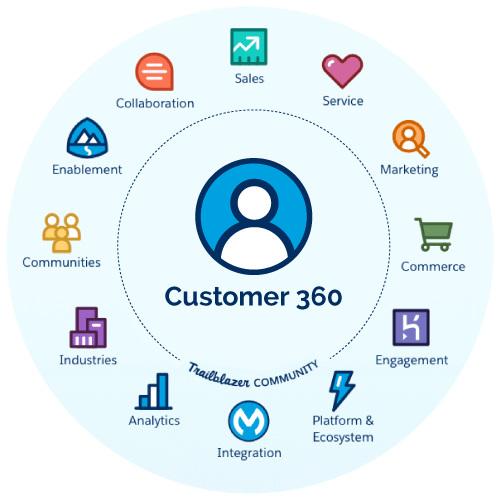
  1. Salesforce Customer 360 Platform: Salesforce unifies customer data from sales, service, marketing, and commerce, creating a single source of truth.
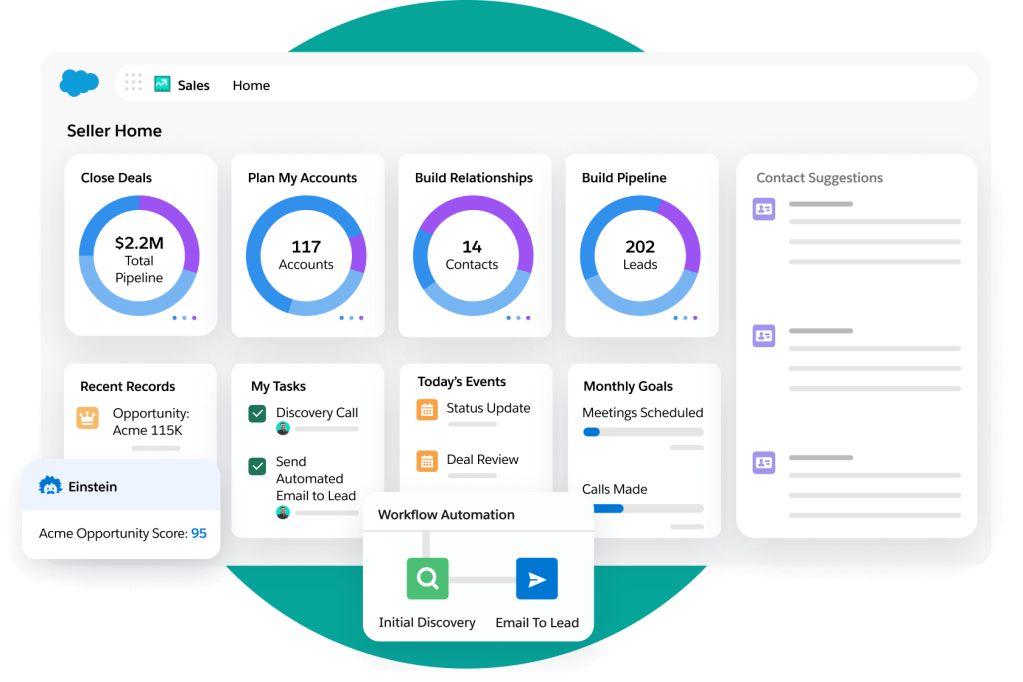
  2. Sales Cloud: Provides sales teams with real-time customer insights, including past interactions and deal history, allowing for more personalized sales outreach.
  3. Service Cloud: Enables customer service representatives to access a comprehensive view of customer cases, previous support requests, and communication history, ensuring faster resolutions.
  4. Marketing Cloud: Helps businesses create personalized marketing campaigns based on customer preferences, behavior, and engagement history.
  5. Data Cloud for Salesforce: Leverages AI and real-time data integration to enhance decision-making and provide predictive insights.
  6. AI and Automation: Tools like Salesforce Einstein AI analyze customer data, predict behaviors, and automate workflows for more efficient engagement.

Conclusion

A Client 360 view is no longer a luxury—it’s a necessity for businesses striving to deliver exceptional customer experiences. With Salesforce’s comprehensive suite of tools, organizations can integrate, analyze, and act on customer data more effectively than ever before. By leveraging Salesforce Customer 360, businesses can build stronger relationships, drive sales, and stay ahead in today’s competitive market.

If your company is looking to implement a Client 360 approach, Salesforce provides the perfect platform to centralize and optimize your customer insights. Investing in this strategy today can yield long-term benefits, ensuring sustainable growth and customer satisfaction.

Salesforce NetZero Cloud: Driving ESG Transformation

Introduction

As businesses increasingly prioritize sustainability, Environmental, Social, and Governance (ESG) initiatives have become crucial to corporate strategy. Companies are seeking efficient ways to track and reduce their environmental footprint, and Salesforce’s NetZero Cloud is emerging as a leading solution. Designed to help organizations measure, manage, and report on their carbon footprint, NetZero Cloud plays a vital role in ESG reporting and compliance.

Understanding Salesforce NetZero Cloud

Salesforce NetZero Cloud is an enterprise sustainability management platform that enables companies to track their carbon emissions, energy usage, and other sustainability metrics in real time. By leveraging the power of cloud computing and AI, NetZero Cloud allows organizations to make data-driven decisions to reduce their environmental impact.

Key Features of NetZero Cloud:

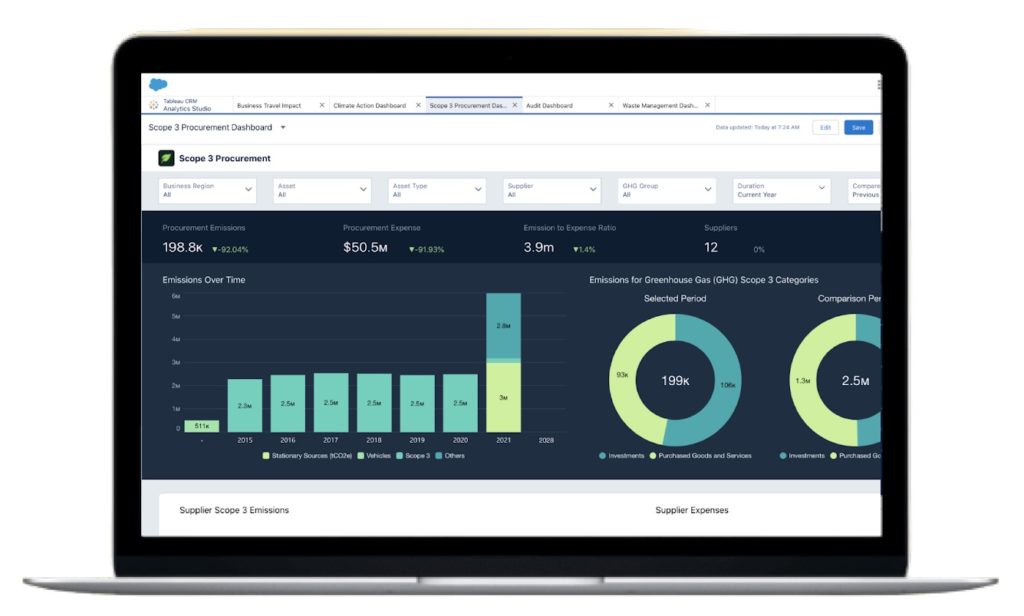
  1. Carbon Accounting & Emissions Tracking – Accurately measure Scope 1, Scope 2, and Scope 3 emissions to align with global reporting standards such as the Greenhouse Gas (GHG) Protocol.
  2. Regulatory Compliance & ESG Reporting – Generate reports compliant with frameworks such as CDP, TCFD, and the SEC’s climate disclosure requirements.
  3. Energy & Waste Management – Monitor energy consumption, waste reduction efforts, and sustainability initiatives.
  4. AI & Data Visualization – Use AI-driven analytics to uncover insights and drive sustainability strategies.
  5. Supplier Sustainability Tracking – Assess and manage the sustainability efforts of suppliers, ensuring alignment with ESG goals.

How NetZero Cloud Supports ESG Goals

Environmental (E)

Salesforce NetZero Cloud directly supports the environmental aspect of ESG by providing a structured and efficient way to manage carbon footprints, reduce waste, and optimize energy consumption. Businesses can set science-based targets to reach net-zero emissions, making their sustainability goals more tangible and actionable.

Social (S)

Beyond environmental impact, NetZero Cloud also contributes to the social aspect of ESG by promoting responsible business practices. Companies can use the platform to track their impact on local communities, monitor supply chain ethics, and ensure fair labor practices.

Governance (G)

Corporate governance is strengthened through NetZero Cloud’s robust compliance and reporting tools. With automated ESG reporting, companies can improve transparency, reduce the risk of greenwashing, and adhere to regulatory standards. The platform also facilitates audit-ready data, ensuring accurate and verifiable ESG disclosures.

The Future of ESG with Salesforce NetZero Cloud

As global regulations tighten around ESG reporting, businesses need innovative solutions to meet compliance standards and achieve sustainability objectives. Salesforce NetZero Cloud provides the technological foundation to not only track sustainability progress but also drive real change. By integrating sustainability into business operations, companies can achieve long-term resilience while contributing to a greener planet.

Conclusion

Salesforce NetZero Cloud is more than just a carbon accounting tool—it’s a powerful enabler of ESG transformation. Organizations leveraging this platform can make informed sustainability decisions, meet regulatory requirements, and enhance their reputation as responsible corporate citizens. As ESG priorities continue to evolve, tools like NetZero Cloud will be essential in building a more sustainable and accountable future.


Environmental, Social, and Governance (ESG) Implementation Guide

Key Considerations for ESG Implementation

  1. Materiality Assessment: Identify the ESG issues most relevant to your business and stakeholders. Understand the environmental, social, and governance factors impacting your company’s performance and reputation.
  2. Regulatory Compliance: Stay updated with local and international ESG regulations to avoid legal risks and align with industry standards.
  3. Stakeholder Engagement: Engage with stakeholders, including investors, employees, customers, suppliers, and the community, to understand their expectations and concerns.
  4. Integration into Business Strategy: Integrate ESG into your core business strategy to ensure ESG goals align with overall business objectives.

Key Metrics for ESG

Environmental Metrics:

  • Carbon Footprint: Measure greenhouse gas emissions and set reduction targets.
  • Energy Consumption: Track energy use and efficiency improvements.
  • Waste Management: Monitor waste generation and recycling rates.

Social Metrics:

  • Employee Diversity and Inclusion: Track diversity in hiring, promotions, and retention.
  • Community Engagement: Measure the impact of community programs and initiatives.
  • Health and Safety: Monitor workplace incidents and safety training.

Governance Metrics:

  • Board Diversity: Ensure a diverse and inclusive board of directors.
  • Ethical Practices: Track adherence to ethical guidelines and anti-corruption policies.
  • Transparency: Measure the quality and frequency of ESG reporting.

Main Stakeholders in ESG

  • Investors: Seek companies with strong ESG practices for long-term resilience and sustainability.
  • Employees: A robust ESG strategy can improve morale, attract talent, and reduce turnover.
  • Customers: Consumers prefer companies committed to ESG principles.
  • Suppliers: Engage suppliers in your ESG strategy to ensure sustainable practices across the supply chain.
  • Community: Local communities are directly impacted by your operations and can advocate for or against your company based on ESG performance.

Processes for ESG Implementation

  1. Conduct a Materiality Assessment: Identify and prioritize the ESG issues that matter most to your business and stakeholders.
  2. Set Objectives and Goals: Define clear, measurable ESG goals aligned with your business strategy.
  3. Develop a Strategic ESG Roadmap: Create a detailed plan outlining the steps needed to achieve your ESG goals.
  4. Implement Action Plans: Execute the strategies and initiatives outlined in your roadmap.
  5. Measure and Report Progress: Regularly track your performance against ESG metrics and report progress to stakeholders.
  6. Continuous Improvement: Use feedback and performance data to continuously refine and improve your ESG strategies.

Implementing ESG is a dynamic and ongoing process that requires commitment and collaboration across the organization. By focusing on key considerations, metrics, stakeholders, and processes, companies can build a robust ESG strategy that drives sustainable growth and meets stakeholder expectations.

Five Technology Building Blocks to Power Customer-Centric, Data-Driven Growth

Customer-centric tech stack isn’t just about tools—it’s about aligning technology with customer needs and creating meaningful experiences. By focusing on these building blocks, organizations can drive growth and build lasting customer relationships.

In today’s business landscape, unlocking the value from data has become more accessible, less expensive, and increasingly relevant across industries. When executed well, personalization at scale becomes a reality. Organizations are leveraging customer triggers to optimize the timing, content, offer, and design of every customer experience. Here are the key technology building blocks that drive customer-centric growth:

  1. Data: Data is the foundation. Organizations need to collect, integrate, and analyze data from various sources. This includes customer interactions, behavior, preferences, and transactional data. A robust data strategy ensures a 360-degree view of customers.
  2. Decisioning: Effective decision-making relies on real-time insights. Organizations should invest in decisioning engines that use data to drive personalized recommendations, offers, and actions. These engines enable dynamic adjustments based on customer context.
  3. Design: Customer experience design matters. Organizations must create seamless, intuitive interfaces across channels. Design thinking principles help align technology solutions with customer needs and expectations.
  4. Distribution: Reach customers where they are. Distribution channels include websites, mobile apps, social media, and more. Organizations should optimize their tech stack to deliver consistent experiences across these channels.
  5. Measurement: Metrics matter. Organizations need to measure the impact of their tech stack on customer engagement, conversion rates, and overall business outcomes. Regularly assess performance and iterate based on data-driven insights.

Remember, a customer-centric tech stack isn’t just about tools—it’s about aligning technology with customer needs and creating meaningful experiences. By focusing on these building blocks, organizations can drive growth and build lasting customer relationships.

How Sales Management is Handled within Sales Cloud?

Sales Cloud is Salesforce’s powerful CRM platform is designed specifically for sales teams.

How sales management is handled within Sales Cloud, Salesforce’s powerful CRM platform designed specifically for sales teams. Sales Cloud provides a comprehensive suite of tools and features to streamline sales processes, enhance productivity, and drive revenue growth. Here are the key aspects of sales management in Sales Cloud:

1. Lead Management:

  • Lead Capture: Sales Cloud allows you to capture leads from various sources, such as web forms, social media, and email campaigns.
  • Lead Scoring: Assign scores to leads based on their potential, behavior, and fit with your ideal customer profile.
  • Lead Assignment: Automatically route leads to the right sales reps based on predefined rules or territories.

2. Opportunity Management:

  • Pipeline Tracking: Manage opportunities through the sales pipeline. Sales Cloud provides a visual representation of deals at different stages.
  • Deal Insights: Leverage AI-powered insights to understand deal health, identify risks, and prioritize follow-ups.
  • Sales Forecasting: Accurately forecast revenues by analyzing historical data and current pipeline1.

3. Account Management:

  • 360-Degree View: Sales Cloud consolidates account information, including contacts, interactions, and historical data.
  • Account-Based Selling: Tailor your approach based on the specific needs of each account.
  • Account Planning: Collaborate with your team to create account strategies and action plans.

4. Territory Management:

  • Territory Definition: Define territories based on geography, industry, or other criteria.
  • Territory Assignment: Assign accounts and opportunities to sales reps based on their territories.
  • Balancing Workloads: Ensure equitable distribution of accounts and opportunities among team members.

5. Sales Process Automation:

  • Workflow Rules: Automate repetitive tasks, approvals, and notifications.
  • Process Builder: Create custom processes with drag-and-drop simplicity.
  • Approval Processes: Define approval workflows for pricing, discounts, and contract approvals.

6. Quoting and Contracting:

  • Quote Generation: Create professional quotes directly within Sales Cloud.
  • Contract Management: Track contract lifecycles, renewals, and amendments.
  • E-Signatures: Integrate with e-signature solutions for seamless contract execution.

7. Reporting and Dashboards:

  • Custom Reports: Build reports to analyze sales performance, pipeline health, and conversion rates.
  • Dashboards: Visualize data with real-time dashboards for quick insights.
  • Forecast Reports: Monitor sales forecasts and adjust strategies as needed.

8. Collaboration and Mobility:

  • Chatter: Sales Cloud’s collaboration tool allows sales reps to communicate, share updates, and collaborate within the platform.
  • Mobile App: Access Sales Cloud on the go via the mobile app for real-time updates and responsiveness.

In summary, Sales Cloud empowers sales teams to manage leads, opportunities, accounts, and territories effectively. By leveraging automation, insights, and collaboration features, organizations can optimize their sales processes and achieve sustainable growth

What Is Sales Management?

Read about the very basic elements of sales management.

Sales management involves developing effective strategies, organizing sales efforts, and implementing techniques to achieve a company’s sales goals. It’s the backbone of revenue growth and customer acquisition. Here are the key components:

  1. Managing the People:
    • A skilled sales manager guides the sales team, motivating and mentoring them.
    • Responsibilities include setting sales goals, onboarding new hires, and overall team management.
    • Customer relationship management (CRM) and pipeline management are essential tasks.
  2. Managing the Process:
    • A well-structured sales process runs smoothly with minimal intervention.
    • Define workflows, optimize data, and ensure consistency in sales activities.
    • Effective processes lead to better results and streamlined operations.
  3. Managing the Numbers:
    • Metrics matter! Track key performance indicators (KPIs) such as conversion rates, deal velocity, and revenue.
    • Regularly analyze data to identify trends, bottlenecks, and areas for improvement.
  4. Setting the Sales Strategy:
    • Develop a clear strategy aligned with business objectives.
    • Consider market positioning, target audience, and competitive landscape.
    • Adapt the strategy as needed to stay agile and responsive.

The Role of a Sales Manager

A successful sales manager wears many hats:

  1. Goal Setter: Define sales goals and quotas for the team.
  2. Motivator and Mentor: Inspire and guide salespeople to achieve their best.
  3. Planner: Create sales plans, workflows, and training programs.
  4. Team Builder: Recruit, onboard, and develop new hires.
  5. Collaborator: Coordinate with marketing and sales enablement teams.
  6. Data Analyst: Monitor performance, analyze trends, and make informed decisions.

Why Is Sales Management Essential?

Effective sales management drives revenue growth, enhances customer relationships, and ensures a competitive edge. It’s the bridge between strategy and execution. By aligning people, processes, and data, businesses can thrive in today’s dynamic marketplace.

Remember, sales management isn’t just about hitting targets—it’s about building a resilient, customer-centric sales force that consistently delivers results.

Sales and Marketing Alignment: A Tailored Approach for Every Business

Sales and marketing alignment is not a one-size-fits-all solution. While the concept remains consistent across industries, the implementation varies based on the unique characteristics of each business.

Sales and marketing alignment is not a one-size-fits-all solution. While the concept remains consistent across industries, the implementation varies based on the unique characteristics of each business. Let’s explore why alignment is essential and how businesses can tailor their approach to achieve optimal results.

Why Sales and Marketing Alignment Matters

Sales and marketing alignment is the process that enables sales and marketing teams to collaborate and work strategically on common business goals. It helps teams deliver effective and result-oriented marketing campaigns, increases the number of qualified leads, boosts sales, and ultimately drives revenue. However, achieving alignment is not a cookie-cutter process; it requires thoughtful consideration of the following factors:

1. Business Size and Structure

  • Small Businesses: In smaller organizations, sales and marketing teams often wear multiple hats. Alignment here involves close communication, shared objectives, and a flexible approach. The focus is on agility and adaptability to market changes.
  • Mid-Sized Businesses: As businesses grow, roles become more defined. Alignment requires clear delineation of responsibilities, streamlined processes, and regular cross-functional meetings. Mid-sized companies benefit from a mix of centralized and decentralized strategies.
  • Enterprise-Level Businesses: Large enterprises have complex structures. Alignment involves creating specialized teams, leveraging technology, and implementing robust reporting mechanisms. Here, alignment extends beyond sales and marketing to other departments like customer service and product development.

2. Industry and Market Dynamics

  • B2B vs. B2C: Business-to-business (B2B) companies focus on building long-term relationships. Their alignment emphasizes lead nurturing, account-based marketing, and personalized communication. Business-to-consumer (B2C) companies, on the other hand, prioritize mass marketing, brand awareness, and rapid lead conversion.
  • Industry Verticals: Alignment strategies differ across industries. For example:
    • Technology: Tech companies often rely on content marketing, webinars, and thought leadership. Alignment involves integrating these efforts with sales demos and product trials.
    • Healthcare: Healthcare organizations focus on trust-building. Alignment includes coordinated patient education, physician outreach, and seamless appointment scheduling.

3. Buyer’s Journey Complexity

  • Complex Sales Cycles: Some businesses deal with intricate sales cycles, such as enterprise software or high-value services. Alignment requires mapping out touchpoints, understanding decision-makers, and providing tailored content at each stage.
  • Transactional Sales: Retail or e-commerce businesses have shorter sales cycles. Alignment centers around optimizing online channels, retargeting, and ensuring a smooth checkout process.

4. Technology Stack and Tools

  • CRM and Marketing Automation: Leveraging tools like Salesforce is crucial. Alignment involves integrating these platforms, sharing data, and automating lead handoffs.
  • Analytics and Reporting: Businesses must track key performance indicators (KPIs) collaboratively. Alignment means aligning metrics, analyzing trends, and adjusting strategies accordingly.

5. Cultural Alignment

  • Shared Values: Alignment goes beyond processes—it’s about shared values. Businesses must foster a culture of collaboration, open communication, and mutual respect.
  • Leadership Buy-In: Alignment starts at the top. Leaders must champion collaboration, allocate resources, and encourage cross-functional initiatives.

Conclusion

Sales and marketing alignment is not a static achievement; it’s an ongoing journey. Businesses must assess their unique context, adapt strategies, and continuously refine their approach. Remember, what works for one business may not work for another. By customizing alignment efforts, businesses can unlock growth, enhance customer experiences, and stay ahead in today’s competitive landscape. 🚀

The Importance of Sales and Marketing Alignment

Sales and marketing alignment involves collaboration between sales and marketing teams within a business to achieve common goals.

What Is Sales and Marketing Alignment?

Sales and marketing alignment, often referred to as “smarketing,” involves collaboration between sales and marketing teams within a business to achieve common goals. It goes beyond mere cooperation; it’s about unified communication and mutual support. When these two functions work together seamlessly, they create cohesive and customer-centered strategies that drive revenue growth and enhance the overall customer experience.

Consequences of Misalignment

When sales and marketing operate as separate silos, several issues arise:

  1. Wasted Resources: Independent teams may waste time, materials, and budget. If sales disqualify a large percentage of marketing qualified leads (MQLs), it indicates misalignment. Conversely, underutilized marketing collateral or low target market engagement rates also signal a problem. Effective campaigns should incorporate feedback from the sales team to create conversion-driven marketing strategies.
  2. Erosion of Consumer Trust: Inconsistent messaging due to misalignment can erode consumer trust. Differing promotional copy, blog posts, product descriptions, and sales pitches negatively impact the overall customer experience.

Benefits of Sales and Marketing Alignment

  1. Better Understanding of Target Audiences: Utilizing sales and marketing data when creating buyer personas ensures a more accurate picture of the person or business likely to purchase your product1.
  2. Improved Customer Experience: When sales and marketing collaborate, the customer journey becomes seamless. Consistent messaging and aligned strategies enhance the overall experience for potential buyers.
  3. Revenue-Aligned Strategy: Smarketing ensures that both teams work toward revenue growth. By sharing goals and KPIs, they create a unified approach that maximizes results.
  4. Better Lead Generation: When sales and marketing are in sync, lead generation becomes more effective. Marketing campaigns informed by sales feedback yield better results.
  5. Increased Revenue: Brands that align sales and marketing see tangible benefits. For example, Superoffice experienced a 34% increase in revenue following alignment.
  6. Staying Ahead of the Competition: In today’s competitive landscape, alignment is essential. Brands that fail to align their sales and marketing teams struggle to remain competitive in a rapidly changing business environment.

How to Align Sales and Marketing Teams

Implementing alignment requires strategic steps:

  1. Open Communication: Foster regular communication between sales and marketing teams. Encourage feedback and collaboration.
  2. Shared Goals and KPIs: Ensure both teams have common objectives. Align their key performance indicators (KPIs) to measure success.
  3. Feedback Loop: Create a feedback loop where sales insights inform marketing campaigns and vice versa.
  4. Technology Integration: Leverage tools like CRM systems to facilitate data sharing and streamline processes.

Remember, sales and marketing alignment isn’t just a nice-to-have; it’s a critical driver of business success. CEOs who prioritize alignment empower their teams to work harmoniously, resulting in improved efficiency, better lead conversion rates, and ultimately, growth. So, if you’re a CEO, consider smarketing as a strategic imperative for your organization! 🚀

Enhancing Digital Marketing with Salesforce

Successful digital marketing involves a holistic approach that integrates various tools and platforms. Salesforce provides a suite of solutions to help you achieve your marketing goals effectively

Enhancing Digital Marketing with Salesforce

In the quest for a cohesive digital marketing strategy, Salesforce emerges as a powerful ally. Salesforce Marketing Cloud (SFMC) is a comprehensive digital marketing platform that automates and streamlines marketing efforts across various channels, including email, social media, mobile apps, SMS, and websites. Here’s how Salesforce can help address the pitfalls of fragmented digital marketing:

Unified Customer View

Salesforce Marketing Cloud provides a 360-degree view of the customer, consolidating data from multiple touchpoints into a single, comprehensive customer profile. This enables marketers to create more personalized and consistent messaging across all channels.

Automation at Scale

With SFMC, businesses can automate marketing messages and segment them at scale, ensuring that the right message reaches the right customer at the right time. Automation also helps in reengaging customers who may have abandoned an online shopping cart.

Predictive Analytics

Salesforce’s robust analytics tools allow marketers to predict the best outcomes for their customers. By leveraging artificial intelligence and machine learning, SFMC can make targeted content recommendations, enhancing the relevance and effectiveness of marketing campaigns.

Cross-Channel Campaign Management

The platform’s Journey Builder feature enables marketers to visually map out campaign automation, bringing multiple channels into one view. This ensures that all marketing efforts are aligned and working towards the same objectives.

Targeted Advertising

Salesforce Marketing Cloud includes features for targeted online advertising, helping businesses find lookalike audiences that behave like their current high-value customers. This maximizes the impact of advertising spend by focusing on prospects most likely to convert.

Content Creation and Management

With tools like Email Studio, businesses can create and manage content seamlessly. This includes emails, landing page templates, forms, images, and coupons, all of which contribute to a cohesive brand experience.

Real-Time Engagement and Analytics

Salesforce provides real-time engagement tools and rich analytics, allowing businesses to monitor and adjust their marketing strategies promptly. This agility is crucial in the fast-paced digital marketing environment.

By integrating Salesforce Marketing Cloud into their digital marketing strategy, businesses can overcome the challenges of fragmentation. Salesforce empowers organizations to deliver a seamless, efficient, and highly personalized customer experience, ultimately driving growth and customer loyalty.

Why Fragmented Digital Marketing Is Not the Solution

Marketing Strategy

Why Fragmented Digital Marketing Is Not the Solution


In the ever-evolving landscape of digital marketing, businesses are constantly seeking new ways to reach their target audience and stand out in a crowded marketplace. However, one approach that often leads to more problems than solutions is fragmented digital marketing. This strategy, which involves using disparate and uncoordinated marketing efforts across various channels, can be detrimental to a brand’s success. Here’s why:

Lack of Cohesiveness

A fragmented approach to digital marketing means that each channel operates in isolation, without a unified strategy. This lack of cohesiveness can lead to mixed messages being sent to your audience, causing confusion and diluting your brand’s message. When your marketing efforts are not aligned, it becomes challenging to build a consistent brand identity that resonates with consumers.

Inefficient Use of Resources

When you have a fragmented digital marketing strategy, you’re likely to waste valuable resources. Time, money, and effort are spent on multiple campaigns that do not support each other, leading to inefficiencies. This can result in a higher cost per acquisition and a lower return on investment. By consolidating your efforts and focusing on a comprehensive strategy, you can allocate your resources more effectively.

Difficulty in Tracking Performance

Fragmented marketing makes it difficult to track the performance of your campaigns. With each channel operating independently, it’s challenging to determine which efforts are driving results and which are not. This can prevent you from making informed decisions about where to invest your marketing budget for the best outcomes.

Poor Customer Experience

Today’s consumers expect a seamless experience across all touchpoints with a brand. Fragmented digital marketing can lead to a disjointed customer journey, where each interaction feels disconnected from the last. This can frustrate customers and lead to a decline in customer satisfaction and loyalty.

Inability to Leverage Data Effectively

Data is the lifeblood of effective digital marketing. A fragmented approach can hinder your ability to collect and analyze data comprehensively. When data is siloed within different channels, it’s hard to get a holistic view of your audience’s behavior and preferences. This can limit your ability to personalize marketing efforts and deliver targeted messages that resonate with your audience.

The Solution: Integrated Digital Marketing

The antidote to fragmentation is an integrated digital marketing strategy. By ensuring that all channels work together towards common goals, you can create a cohesive brand narrative, use resources more efficiently, track performance accurately, provide a better customer experience, and leverage data effectively.

In conclusion, while it may be tempting to try and be everywhere at once, a fragmented digital marketing strategy is not the answer. Instead, focus on creating an integrated approach that aligns all your marketing efforts. This will not only save you time and money but also build a stronger, more recognizable brand that your customers will trust and engage with.